Quick Support
Instructions
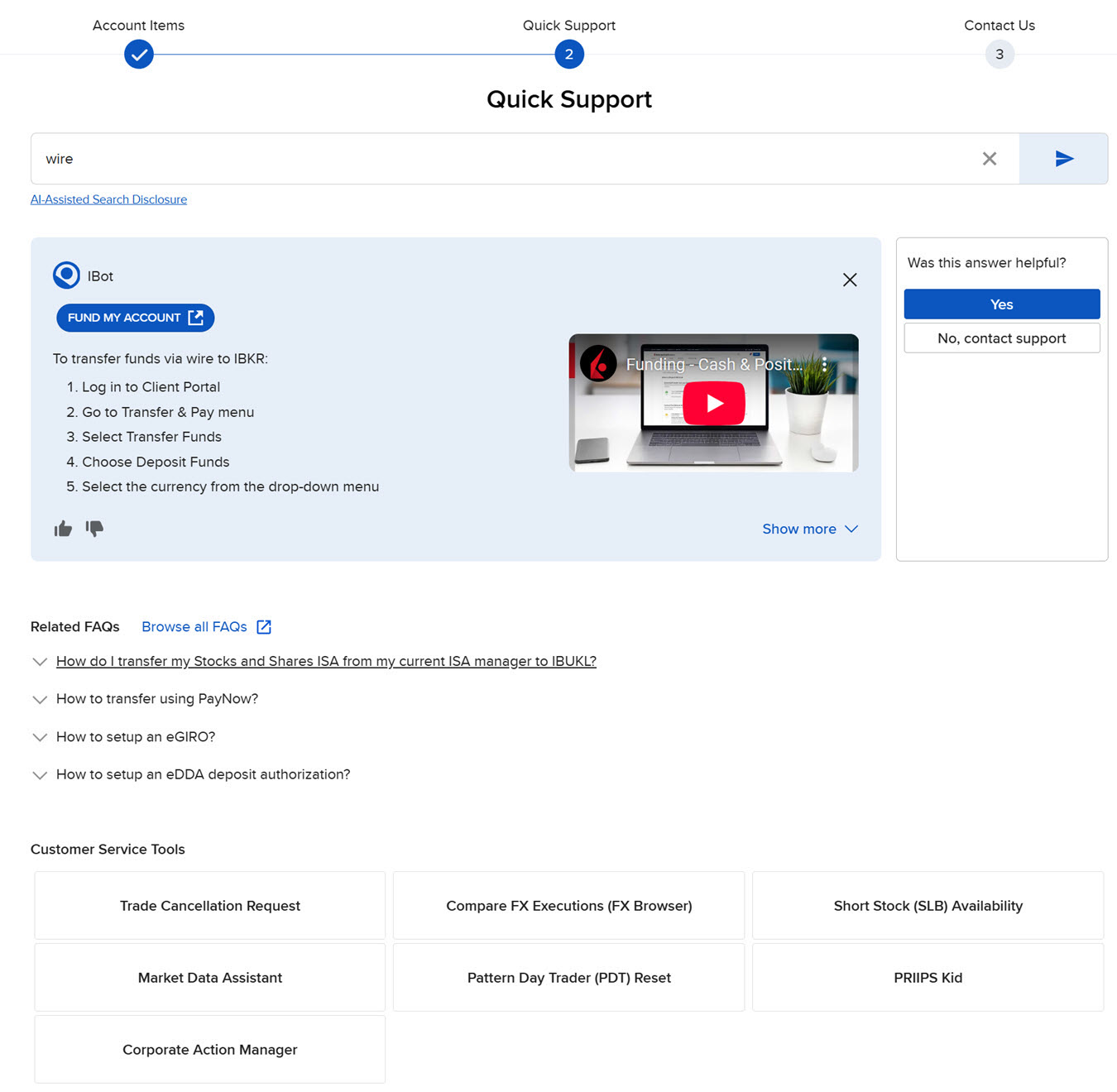
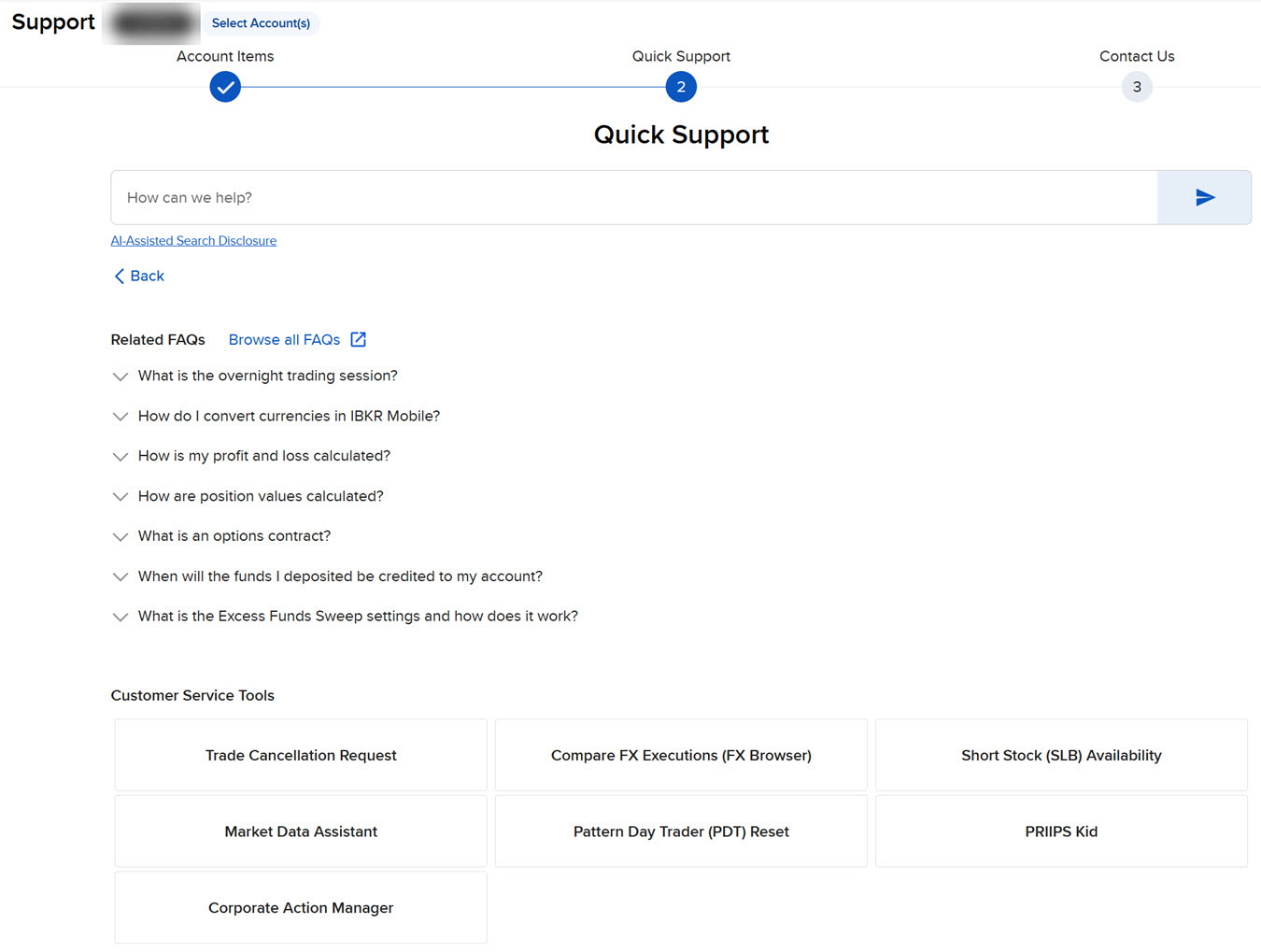
The Quick Support panel is an automated response system can help you find quick answers to simple questions.
Using the Quick Support tool
-
Click Support icon on the top right of the screen and select Support Home.
-
Type a question or topic and get an automated response with information and instructions on the topic searched.