Investment Themes
Instructions
The Investment Themes Widget lets you gain visibility into how a portfolio aligns with key investment themes. The key features have been listed below.
-
Prioritized view: Themes are automatically sorted by rank-adjusted weight, surfacing the most aligned themes first.
-
Drill-down analysis: Expand any theme to reveal the underlying companies and funds within the theme.
-
Performance tracking: View Unrealized P&L for each company and fund to monitor theme-based performance.
-
Complete coverage: Unmapped positions are displayed separately, ensuring full portfolio transparency.
Supported Time Period(s) and Account Type(s):
-
Time Period(s): Supported for time periods ending on most recent day.
-
Account Type(s): Brokerage and Bank accounts only.
To navigate to the Investment Themes widget, follow the steps below.
-
Select Performance & Reports > PortfolioAnalyst > Navigate to the Investment Themes widget.
-
Alternatively, click Menu in the top left corner > PortfolioAnalyst > Navigate to the Investment Themes widget.
-
-
Select the blue arrow icon in the top right corner to view additional details.
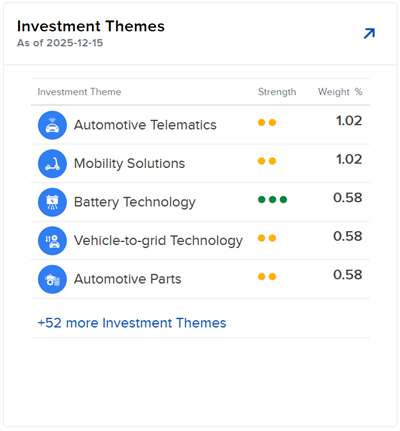
-
A new page will populate with additional information regarding your investment themes including a brief description, Weight %, and Rank-Adjusted Weight %.
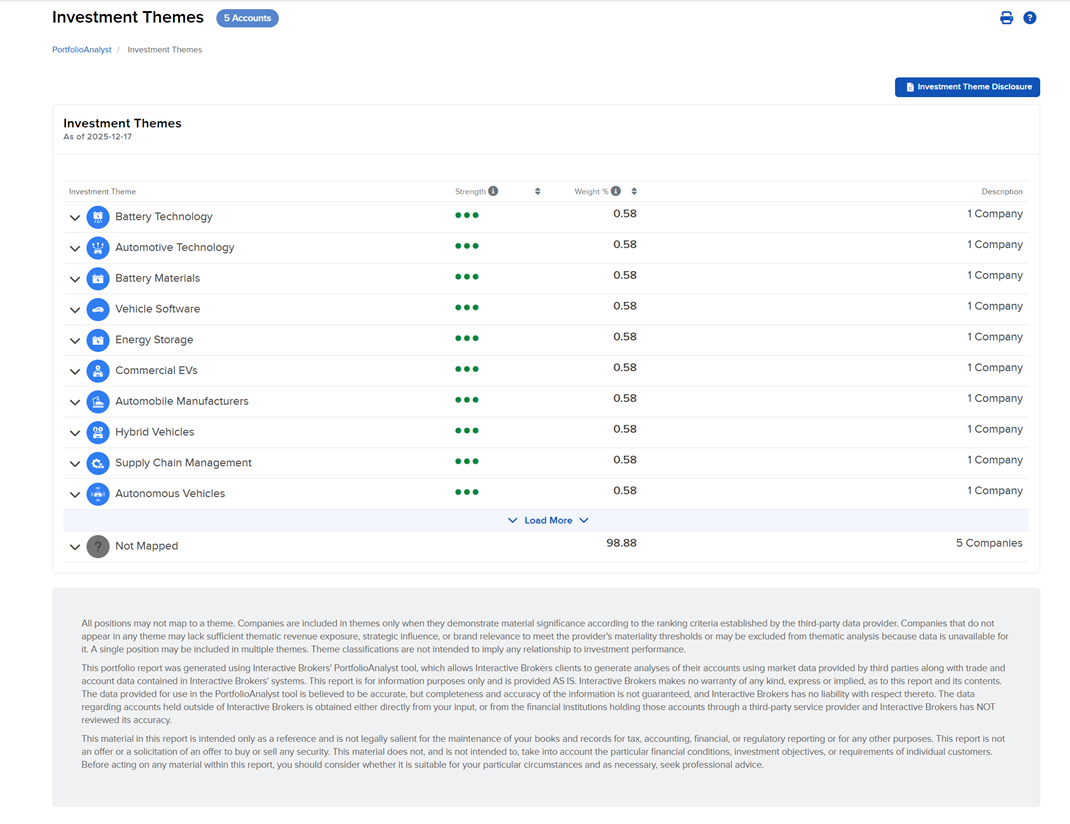
-
Click the Investment Theme name to launch a sidecar with additional details regarding that theme.
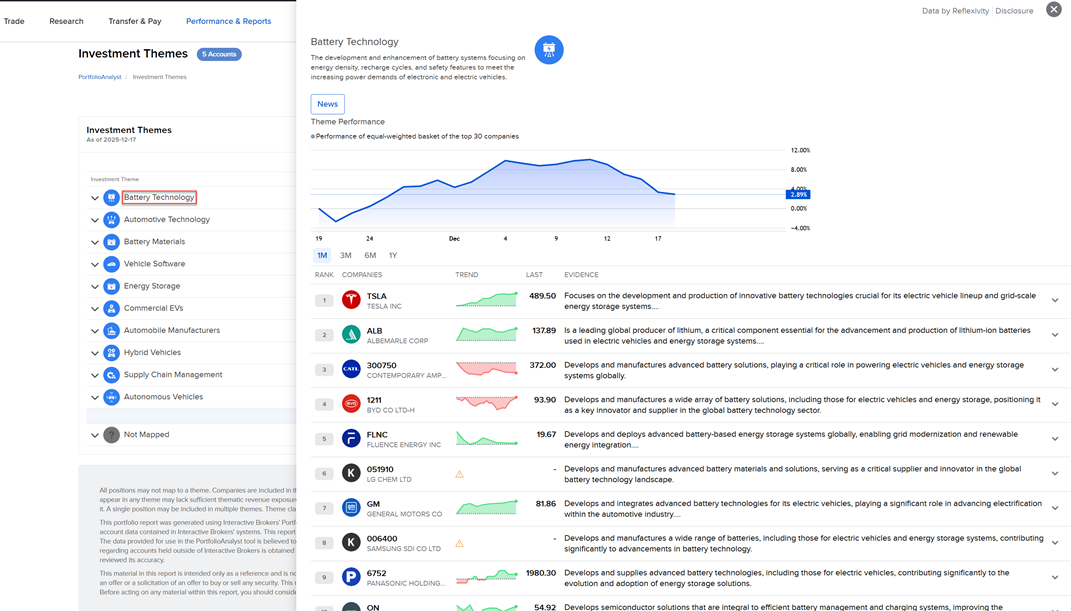
-
Click the arrow next to any Investment Theme to expand it and see your holdings including the Description, Rank, Unrealized %, Unrealized P&L, Weight %, and Rank-Adjusted Weight %.
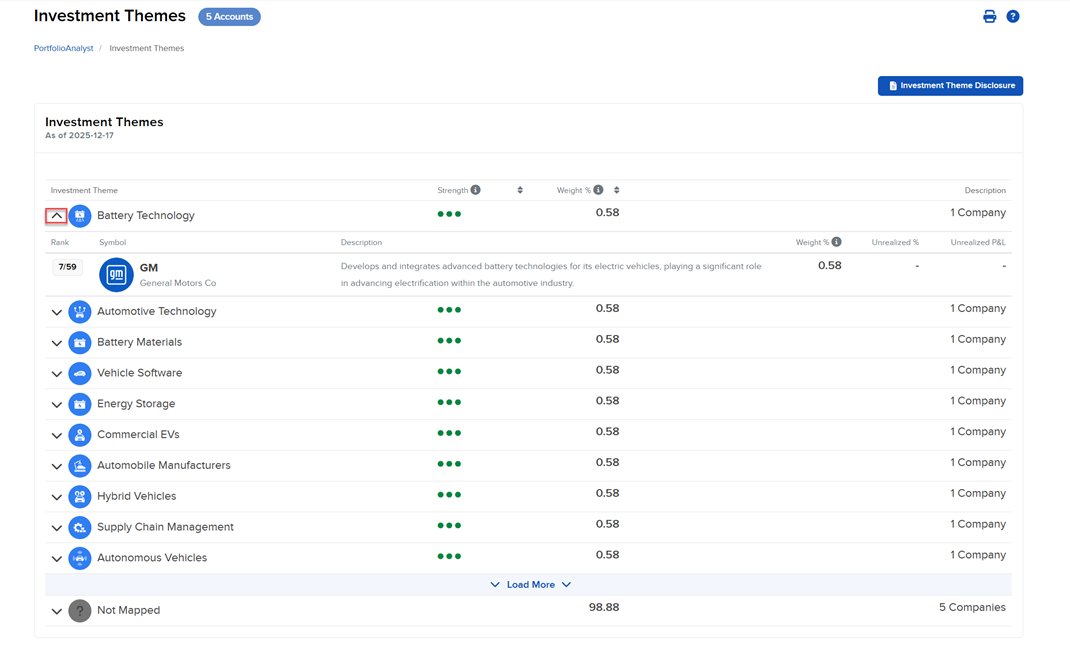
-
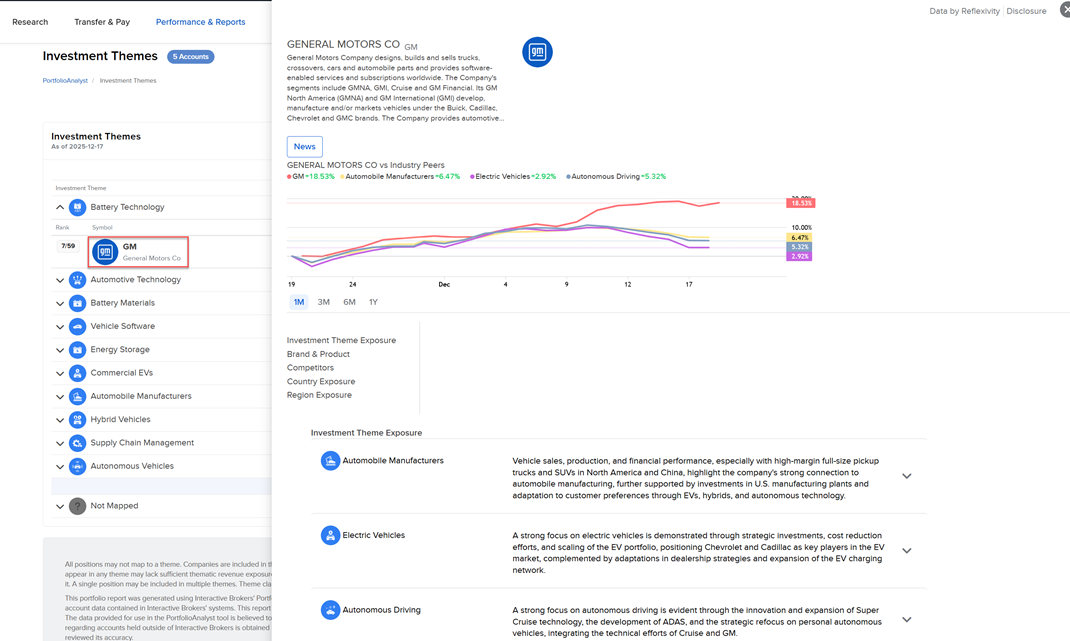
Click the Company name to launch a sidecar with additional details regarding that company.
-
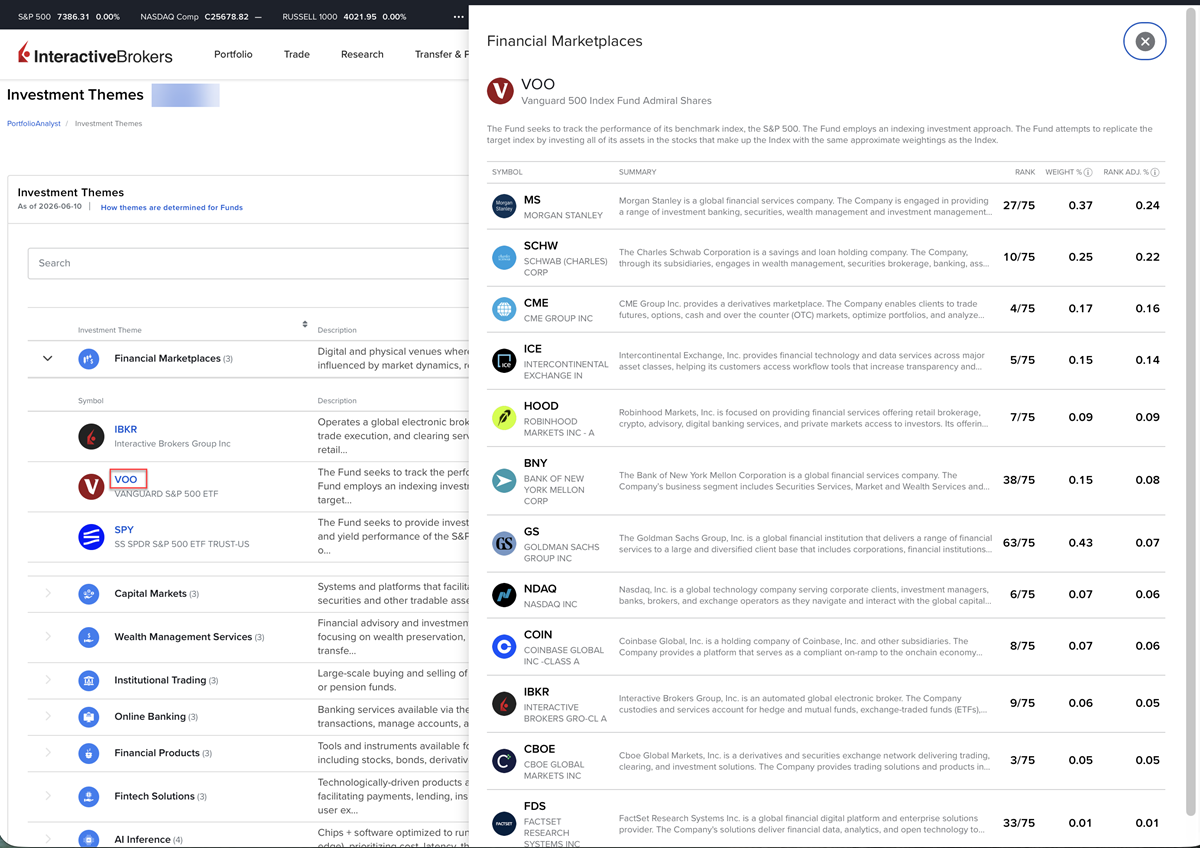
Click a Fund to launch the fund sidecar with additional details regarding that fund.
-
Click the Investment Theme Disclosure button to view the disclosure document.
-
Use the search panel at the top of the Investment Theme page to find a product or investment theme.
-
Click the How themes are determined for funds link to find out more information on how this is calculated.