Direct ACH Transfer from your Bank
Instructions
To set up Direct Automated Clearing House (ACH) Transfers use the
To initiate a Direct ACH Transfer, please take the steps outlined below.
-
Click the Transfer & Pay tab > Transfer Funds.
-
Alternatively, click Menu in the top left corner > Transfer & Pay > Transfer Funds.
-
-
If you are managing multiple accounts, use the Account Selector’s search function to choose the account you want, then click Continue.
-
Select Deposit Funds.

-
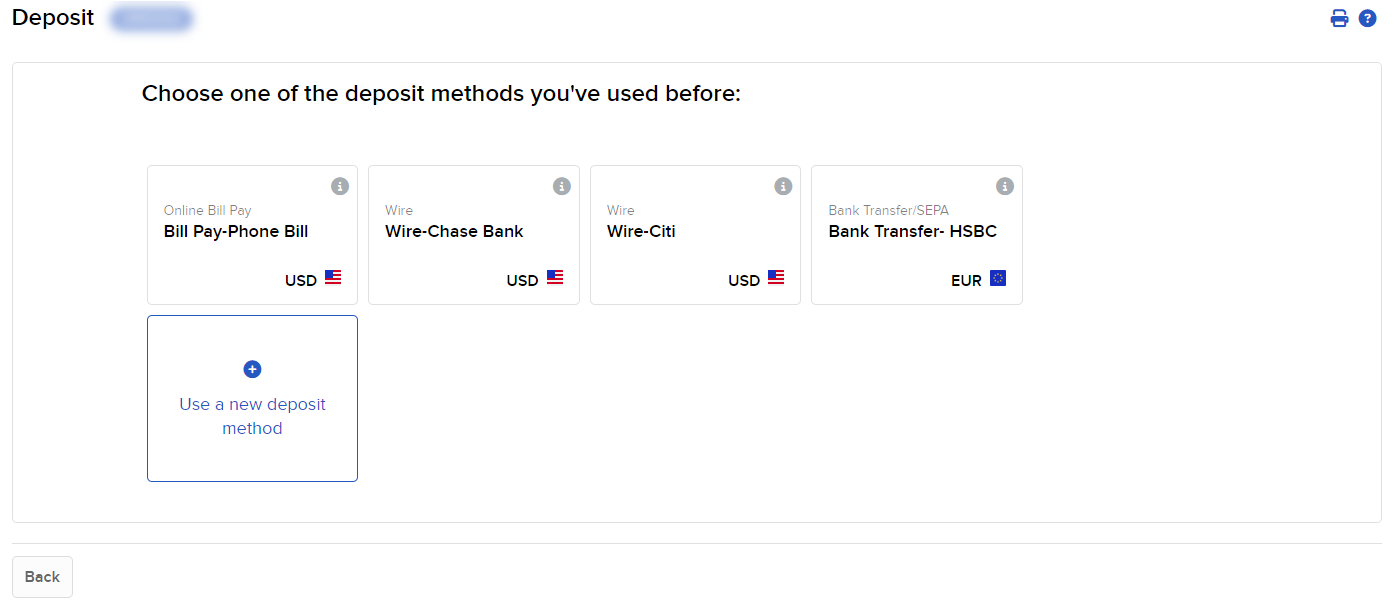
Select Use a new deposit method.
-
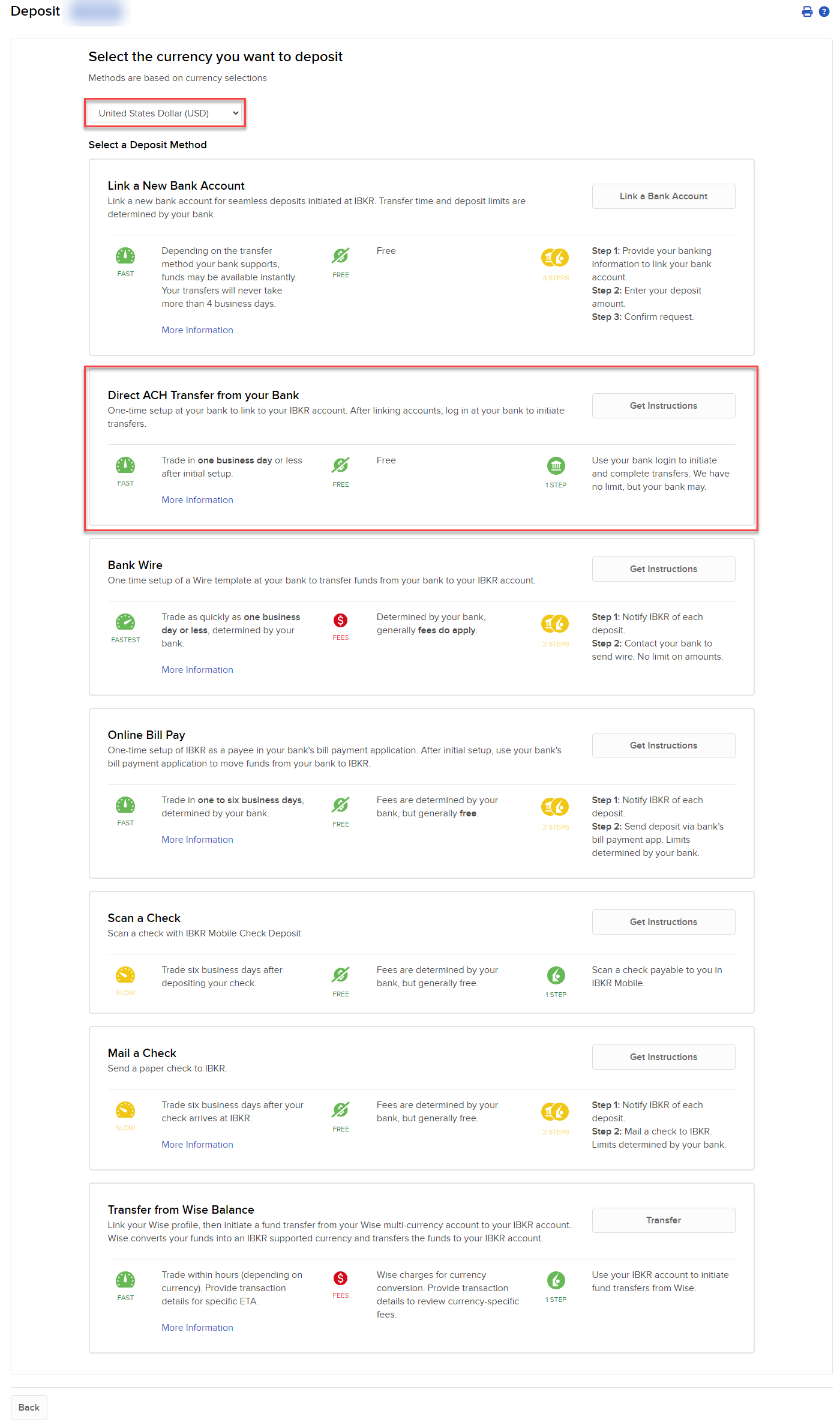
In the Currency list, select the currency of your deposit and select Direct ACH Transfer from your Bank.
-
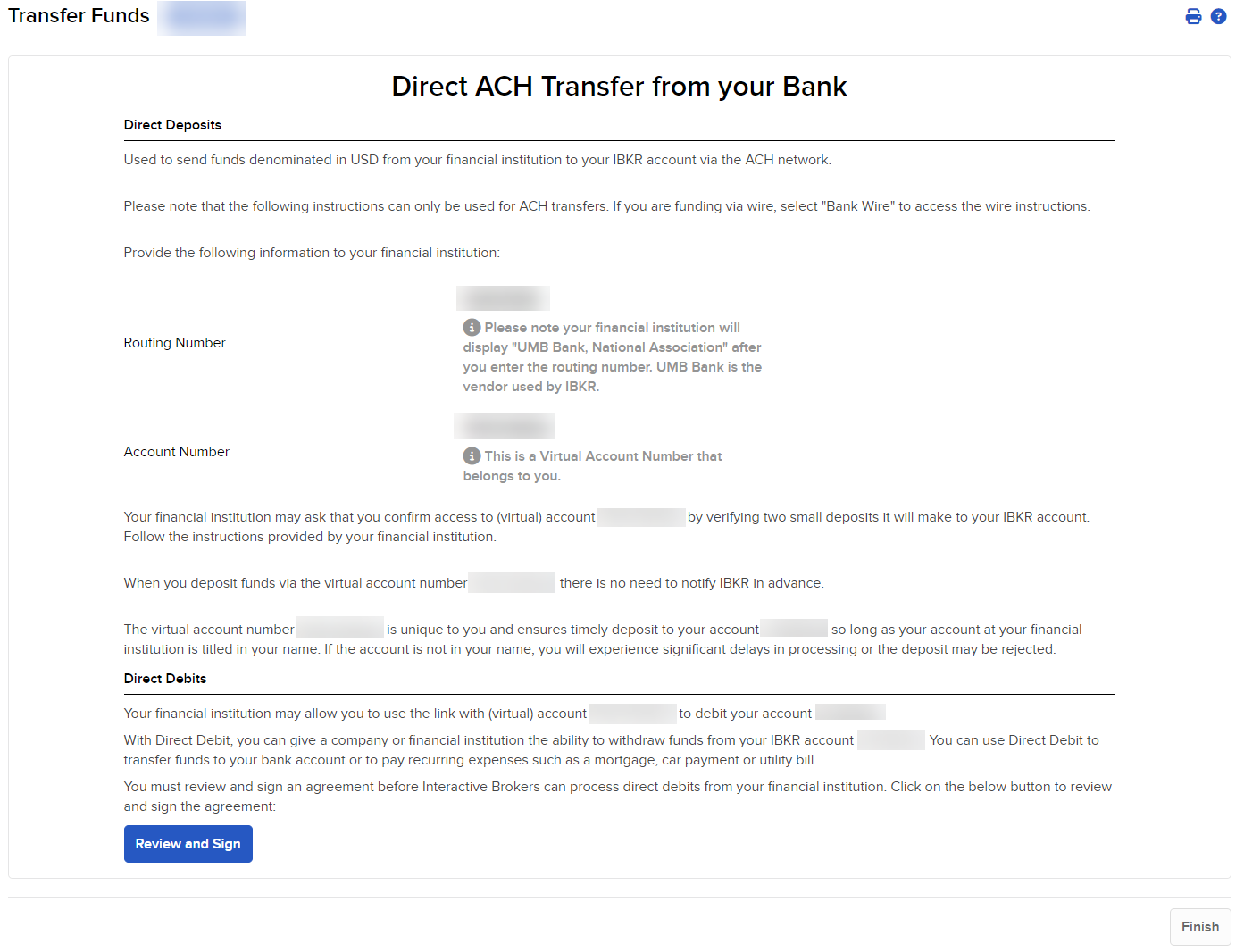
Click on the review and sign button to sign the agreement and finalize Direct ACH.
-
Once completed you can initiate a Direct ACH transfer from your bank.