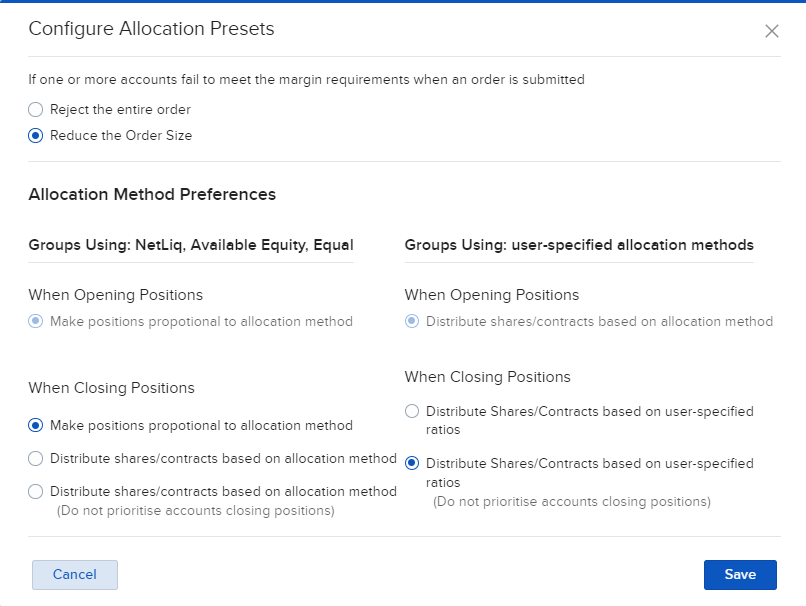
Allocation Presets
Instructions
Advisors now have the ability to trade in the Portal using Allocation Groups. You may set the Allocation Presets by taking the steps outlined below.
- Click Trade in the top left corner and select Allocation Presets.
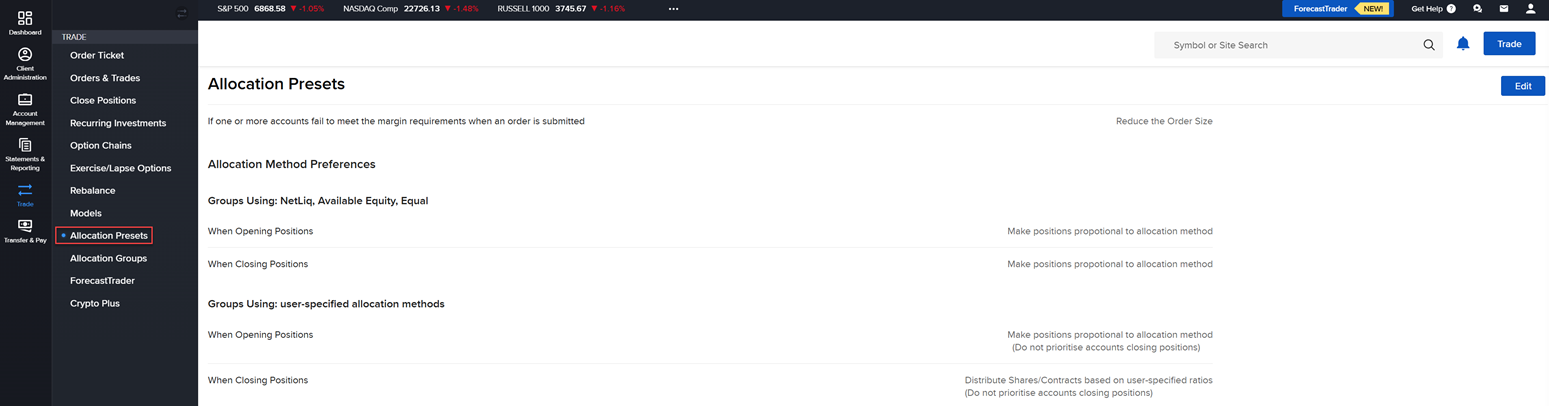
-
Select the Edit button in the top right corner to enter the allocation presets.
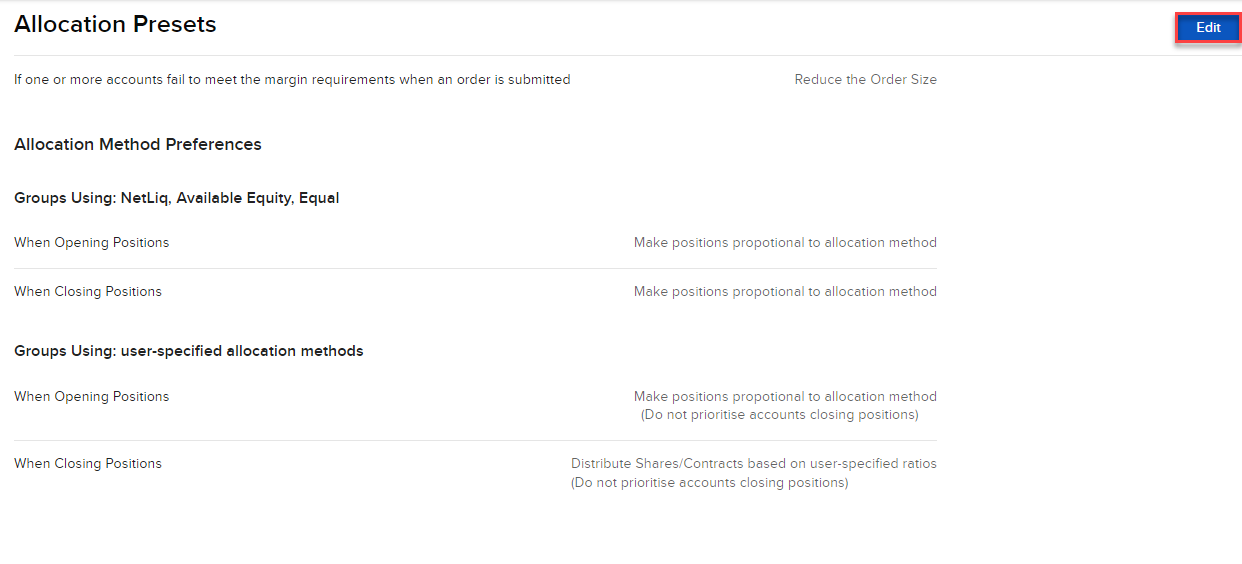
-
Enter the new Allocation Parameters and press Save.