Fee Reimbursement
Instructions
You can reimburse fees to client accounts on the Invoicing page.
-
Click Client Administration in the top left corner and select Fees and Invoicing > Fee Reimbursement.
-
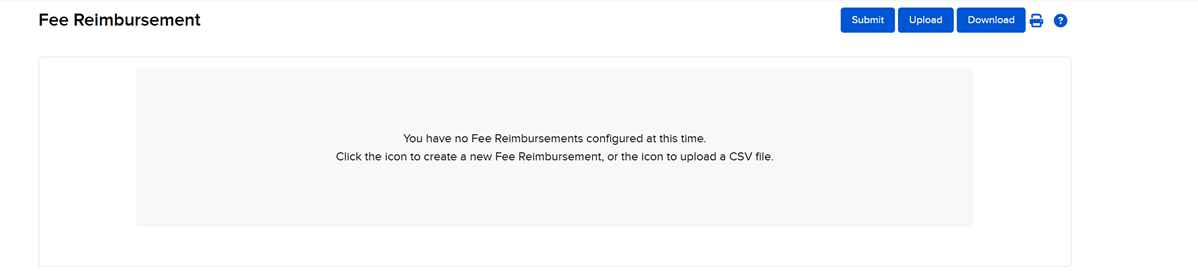
Click the Submit button in the top right corner to create a manual fee reimbursement.
-
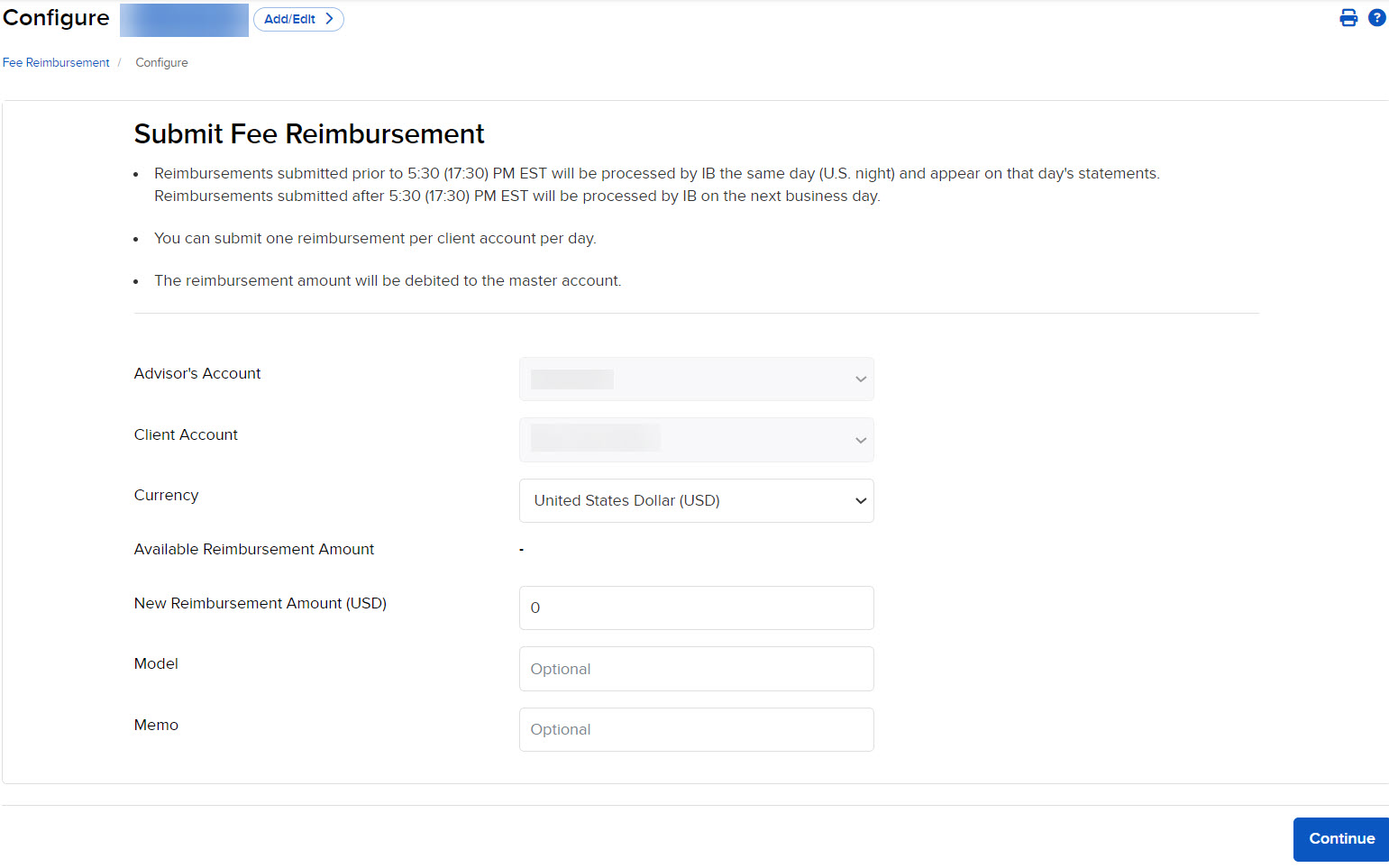
Fill in the required information and press Continue to save.
-
If you are submitted an Invoicing reimbursement, select the Source of Invoice.
-
PNL (Based on Performance)
-
NLV (Based on Net Liquidation Value)
-
Rules for Fee Reimbursements
- You can reimburse fees for a 12 month period.
- 50% of the trailing 12 months of fees (net of any prior rebate) is the maximum amount that you can reimburse.
- Multiple reimbursements cannot exceed the original 50% maximum for the trailing 12-month period. For example, if fees in a 12-month period were $12,000, you can reimburse a maximum of $6,000. In this case, if you reimburse $5,000 one week, you can only reimburse a maximum of $1,000 the following week ($5,000 + $1,000 = the maximum reimbursement of $6,000).
- We process fee reimbursements by simultaneously debiting the master account and crediting the client account.
- If the master account does not have sufficient funds available to satisfy the requested fee reimbursement, the request will not be processed.