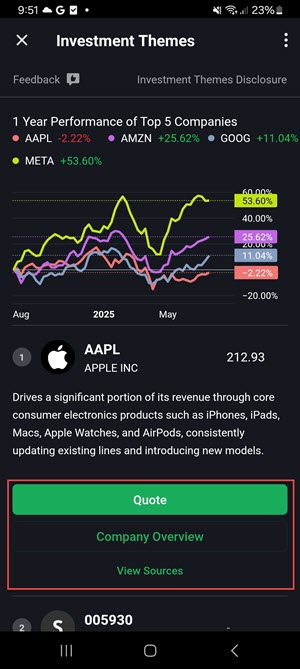
Investment Themes
Instructions
The new Investment Theme feature allows you to explore companies and details connected to a specific theme. You may then explore connections to the companies themselves.
To access this tool, take the following steps:
-
Tap a financial instrument from any tool (Portfolio, Watchlist, Scanner, etc) to display mini Quote Details.
-
Tap again to view the full Quote Details screen.
-
Scroll down on the Quote screen and click the arrow icon on any of the 'Fundamental' widgets (like Dividends or Analyst Ratings).
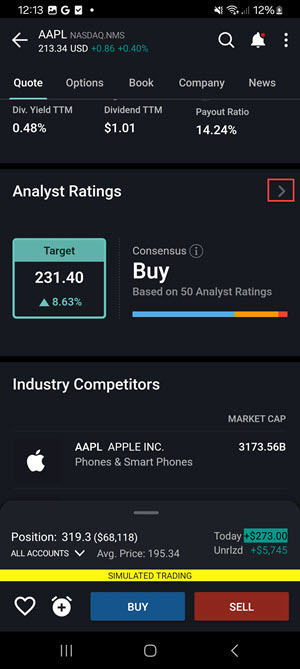
-
This will take you to our Fundamental Explorer tool, and if the company you have selected has Themes coverage (any S&P 1500 stock), you will see a Investment Themes tab and can select it.
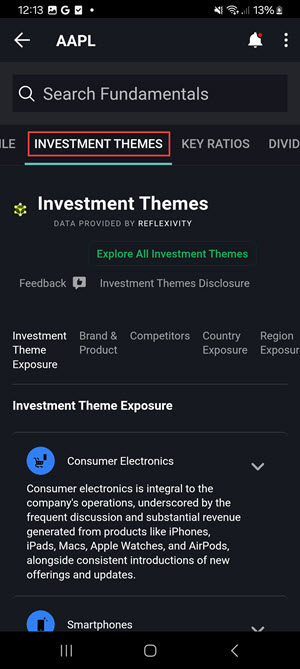
-
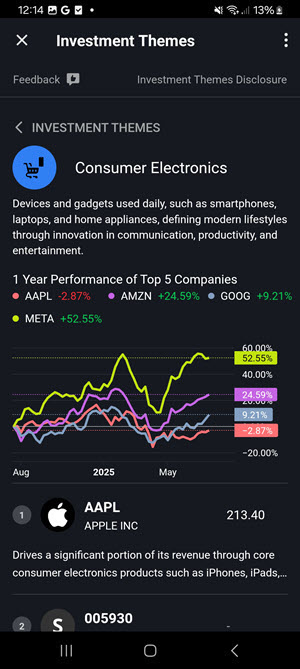
You can then explore Investment Themes and other connections to the selected company, and even dive down in to a specific Theme by tapping Investment Theme Overview.
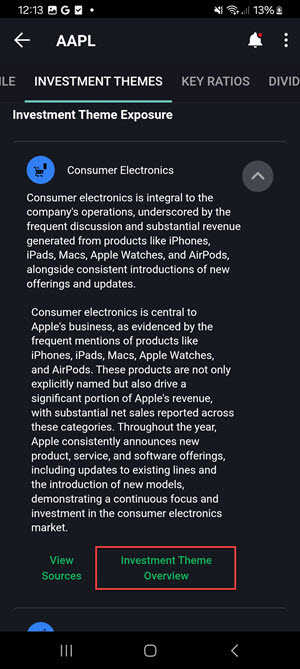
-
Populate the desired articles to View the Quote screen, View a Company Overview, or View Sources.