Deposit Crypto
Instructions
Crypto Deposit allows you to transfer cryptocurrencies from your external wallet to your IBKR-linked crypto account. To do so, please follow the steps outlined below.
 Eligible Coins
-
BTC
-
ETH
-
SOL
-
BCH
-
LTC
-
Click Transfer & Pay > Transfer Funds.
-
Alternatively, click Menu in the top left corner > Transfer & Pay > Transfer Funds.
-
-
If you have multiple accounts or account partitions, or if you have a master account and manage one or more client or sub accounts, the Account Selector will open. Select the account you want to use, or use Search in the Account Selector to find it. Click Continue to submit your selection.
-
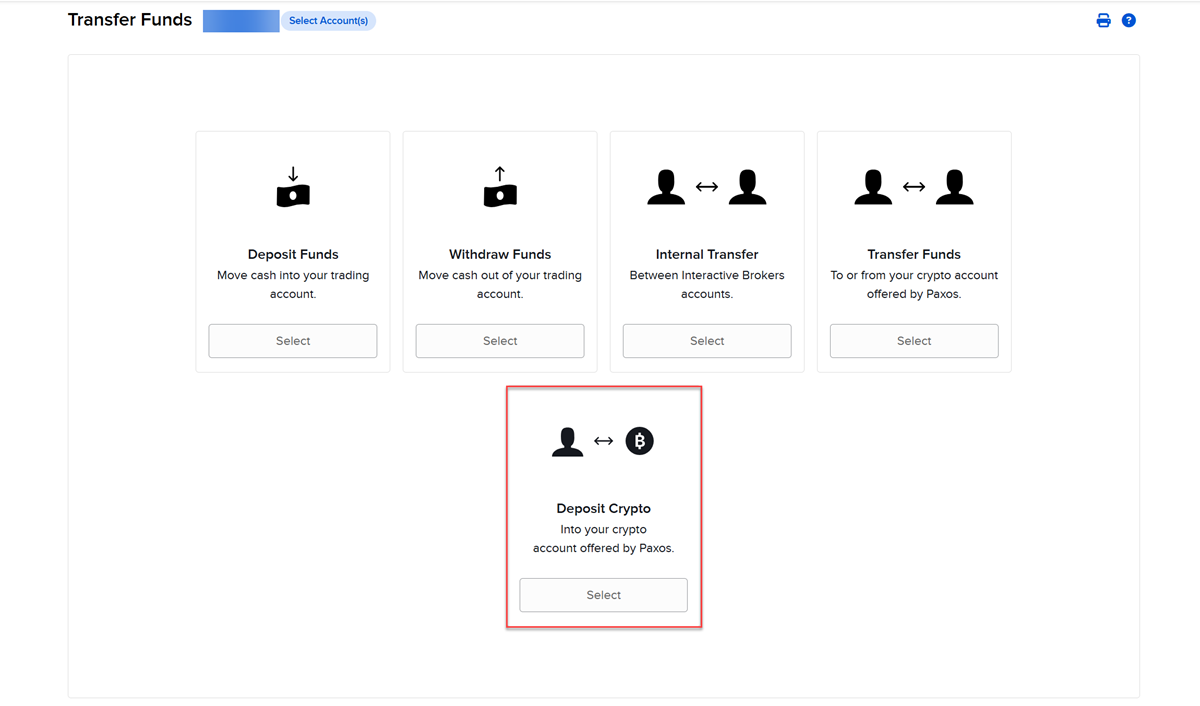
Select Deposit Crypto.
-
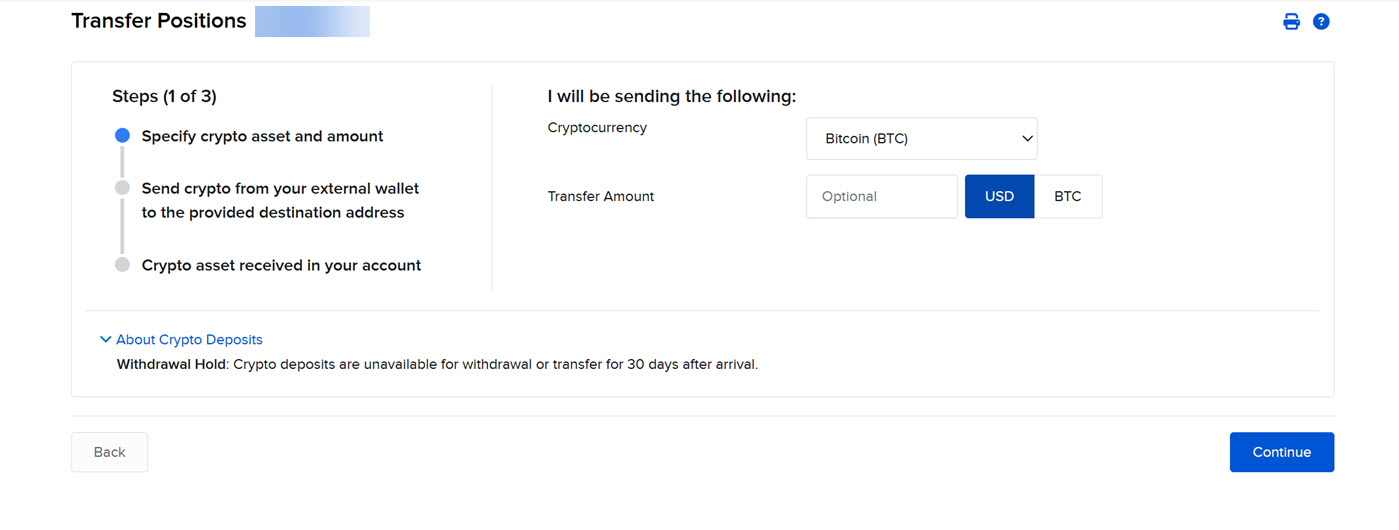
Select the crypto currency that will be transferred and input the transfer amount.
-
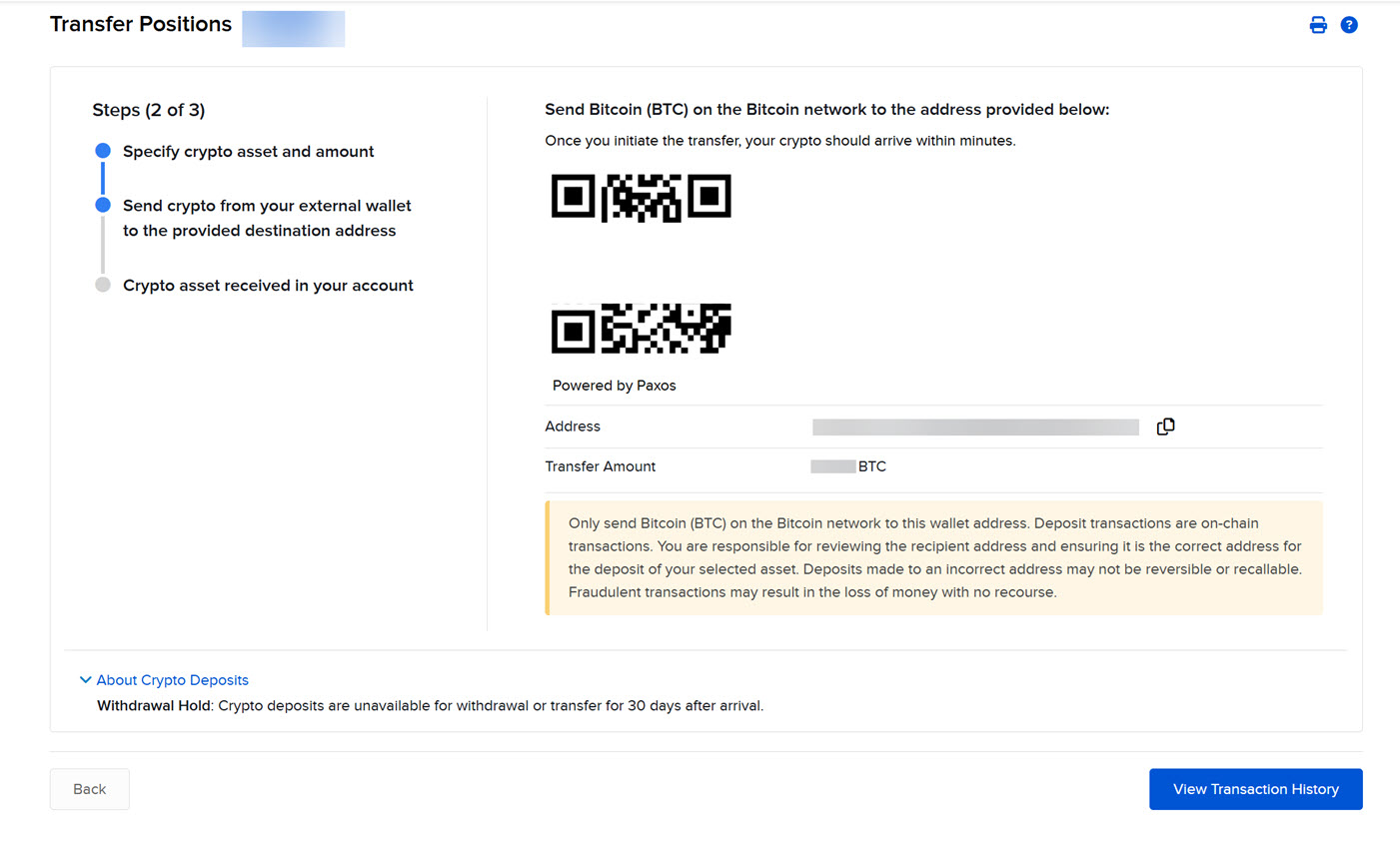
Initiate the crypto deposit from your external wallet to the address provided on the screen.
-
Ensure the destination address is accurately entered to avoid loss of funds. Cryptocurrency transfers are irreversible.
-
Cryptocurrency assets transferred to IBKR are typically completed within minutes, subject to blockchain network confirmation requirements.