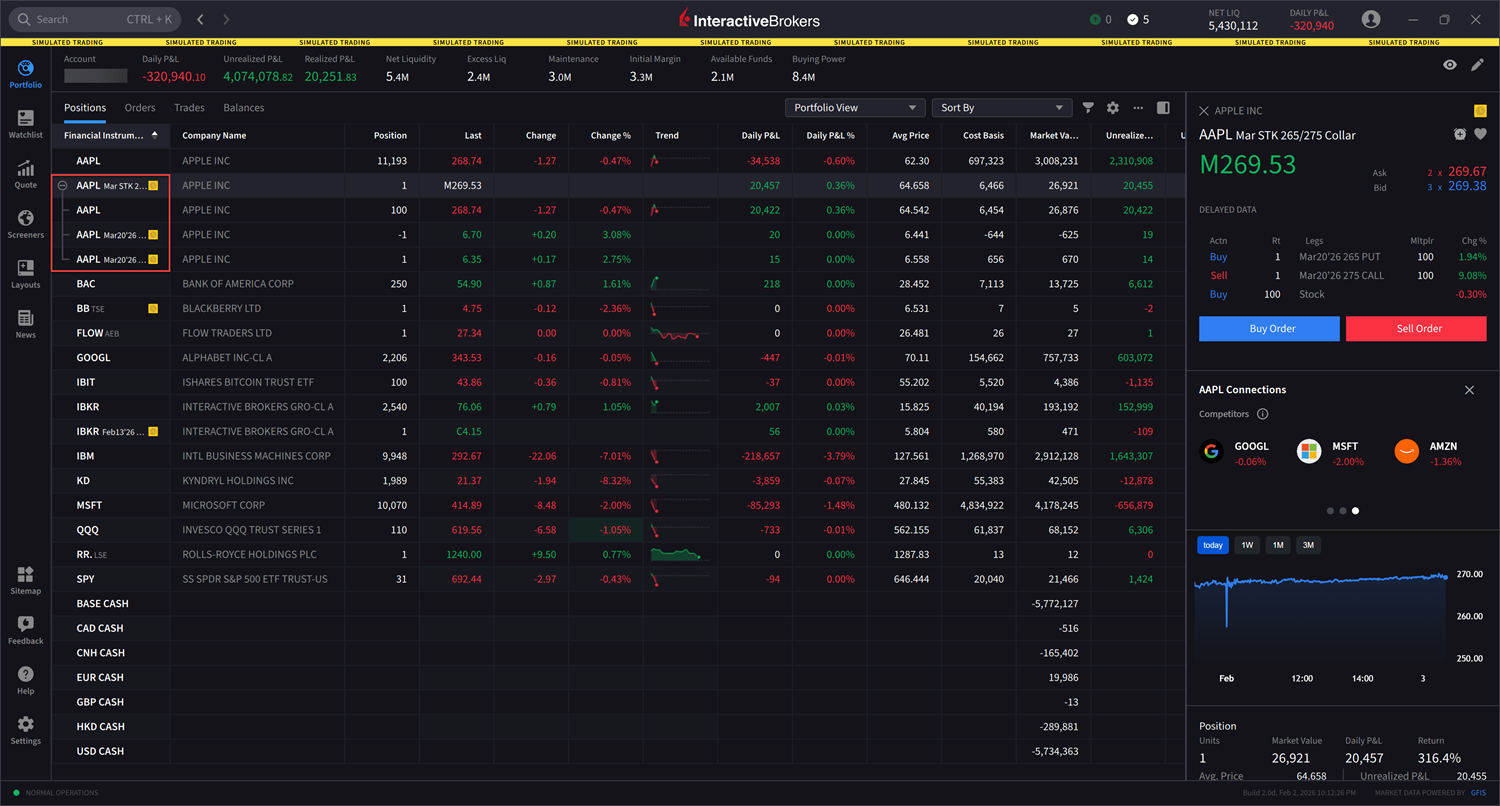
Protective Collar Option Strategy
Protective Collar options trading strategies are available in the Options Wizard. This options trading strategy provides a way for clients to protect an existing position from losses below a certain amount at the cost of capping upside. To utilize this tool, please take the steps outlined below.
Instructions
-
Navigate to Quote and select the Underlying asset from the left-hand side.
If you do not have an open position for the underlying, you must first buy 100 shares of the stock.
-
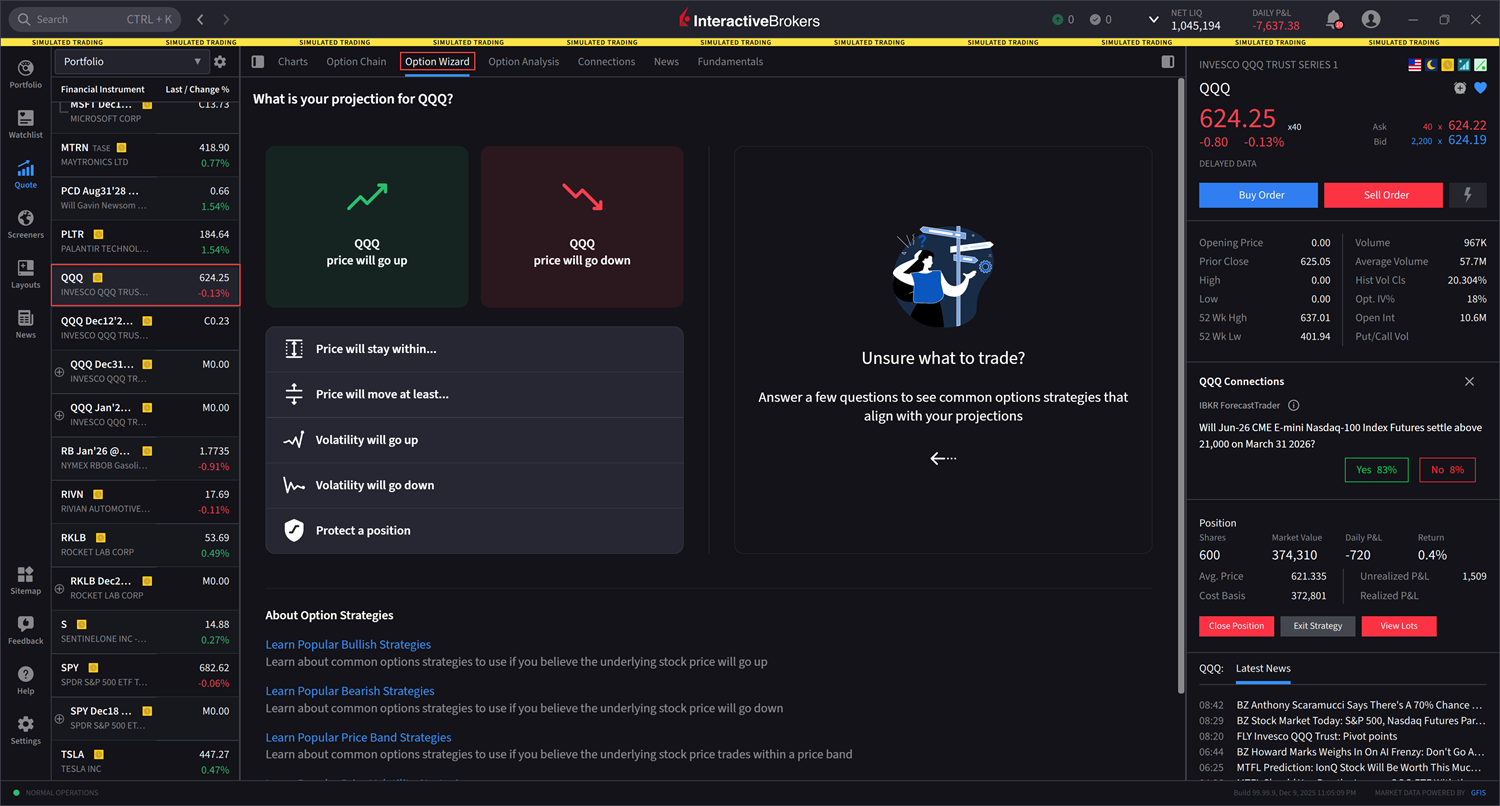
Click the Options tab followed by Option Wizard.
-
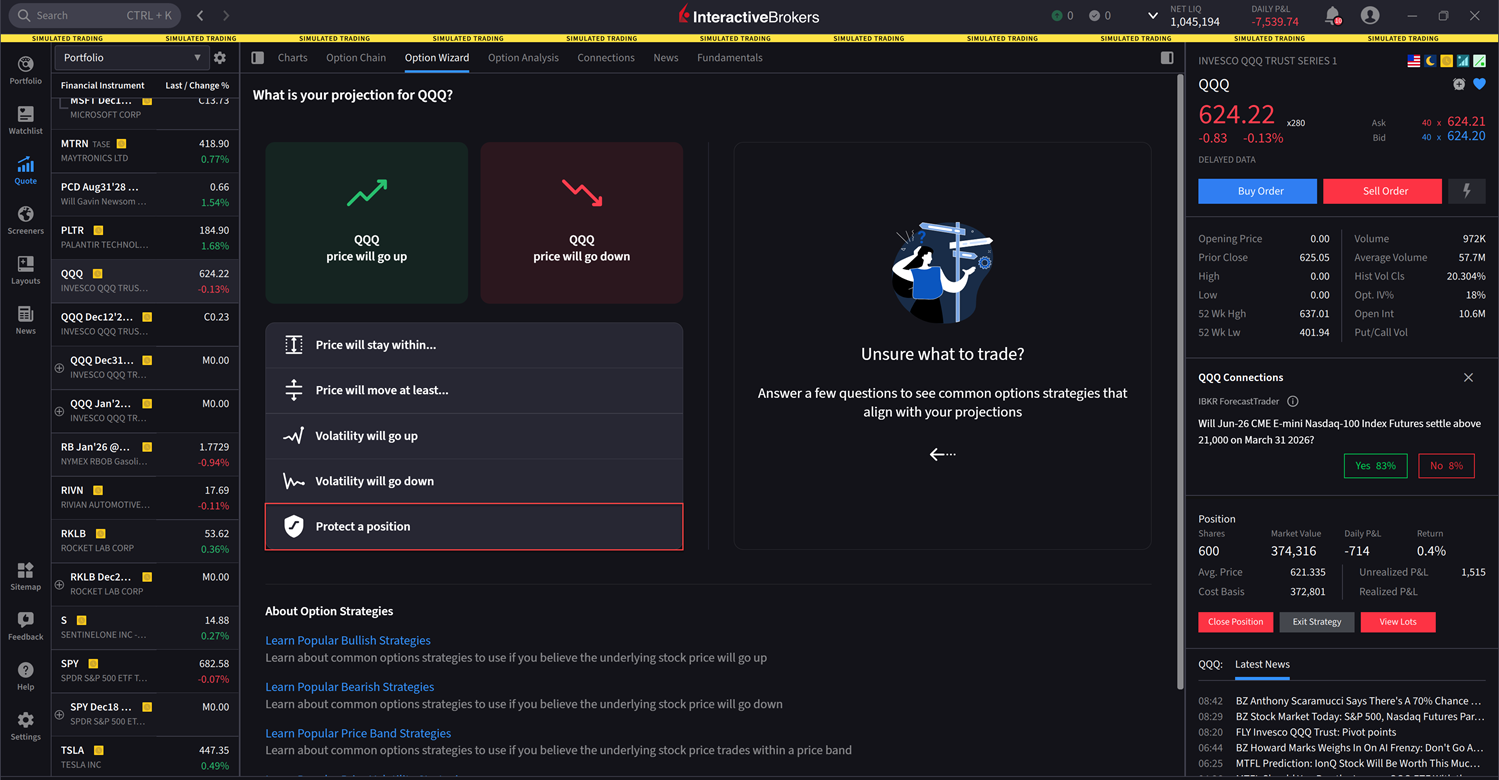
Click Protect a Position.
-
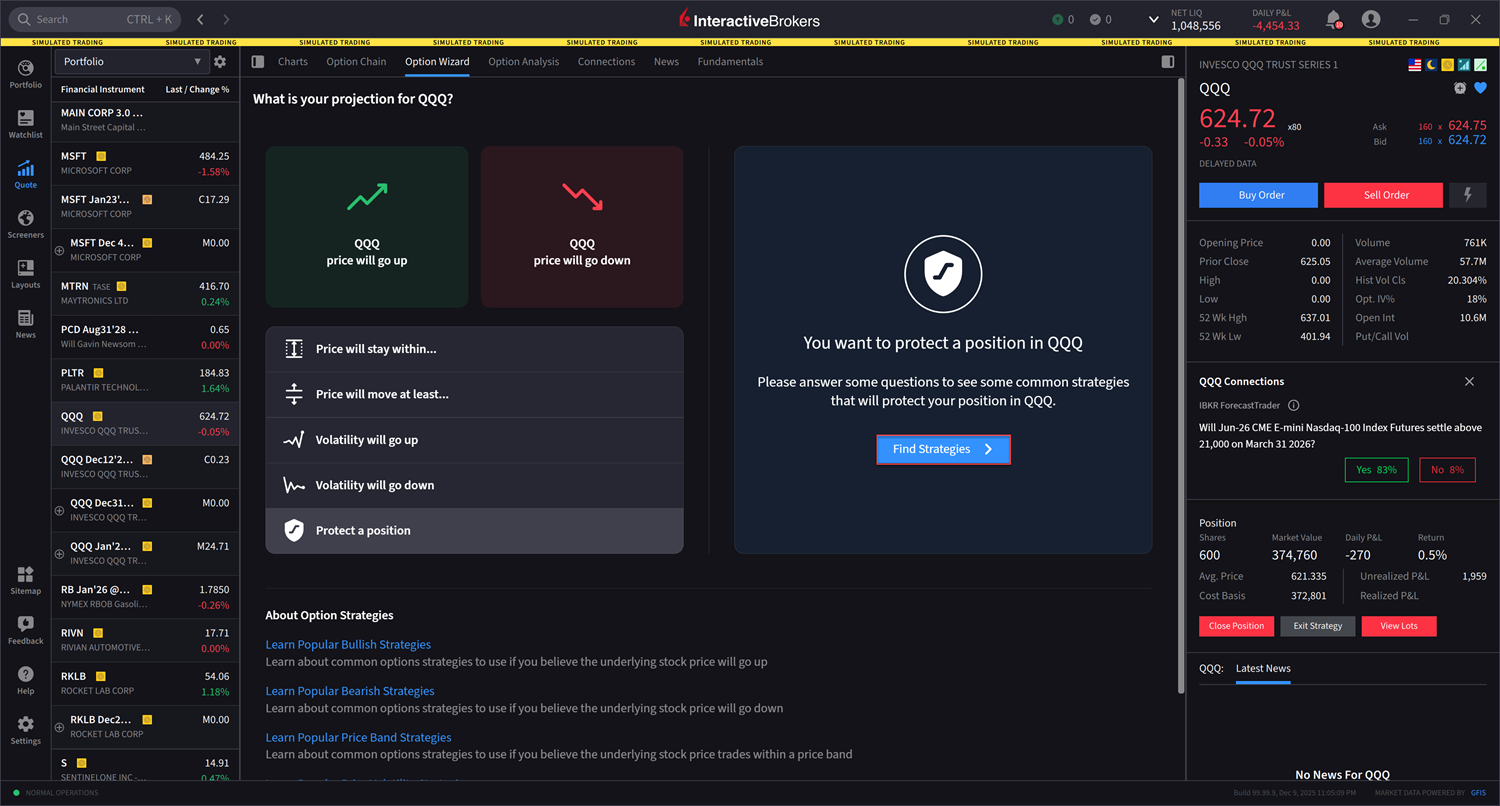
Click Find Strategies
-
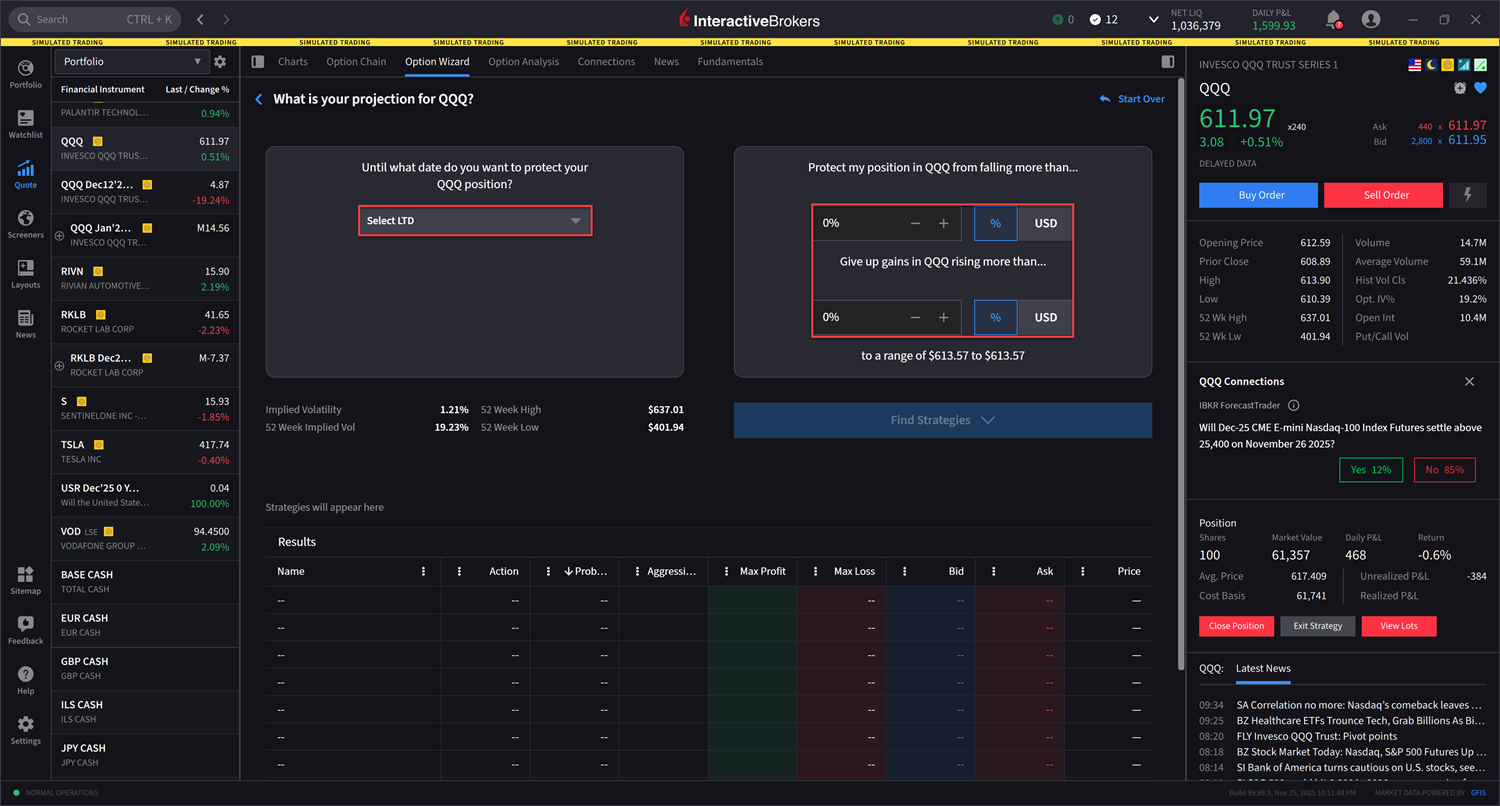
Select the Maturity Date followed by a percentage or dollar amount for Protect my position in from falling more than... and Give up gains in QQQ rising more than...
-
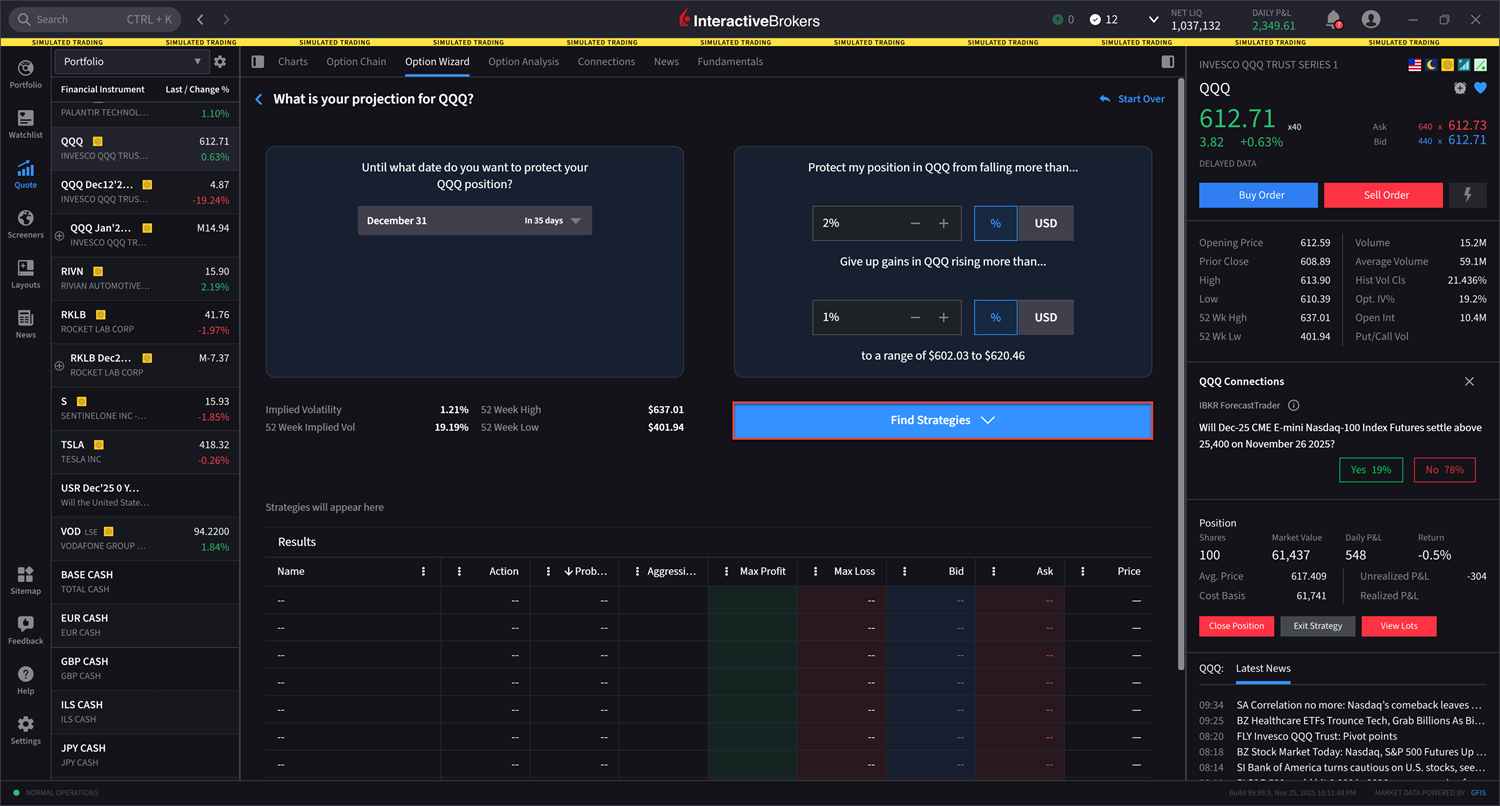
Click Find Strategies.
-
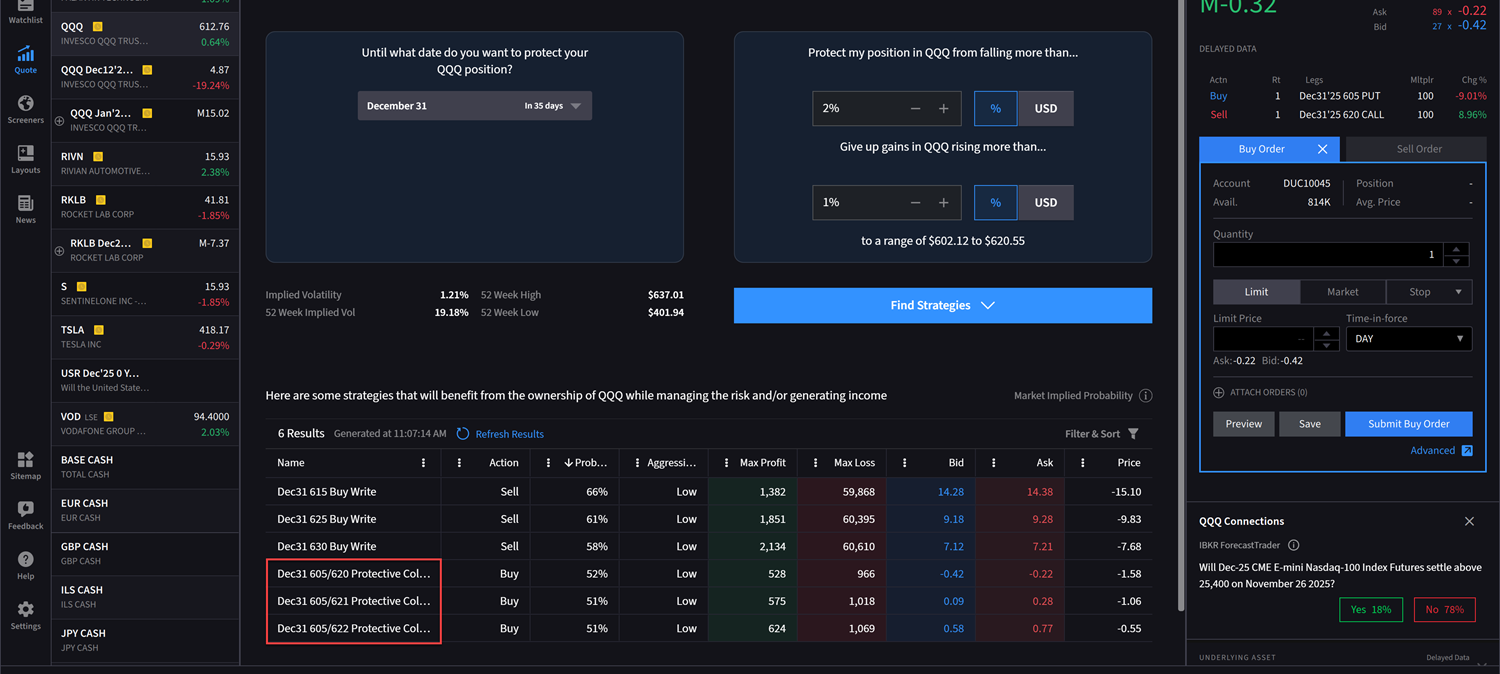
A list of strategies which leverage an existing Stock position will populate in the Results panel. Select one of the Protective Collar option strategies that best suits your trading strategy.
-
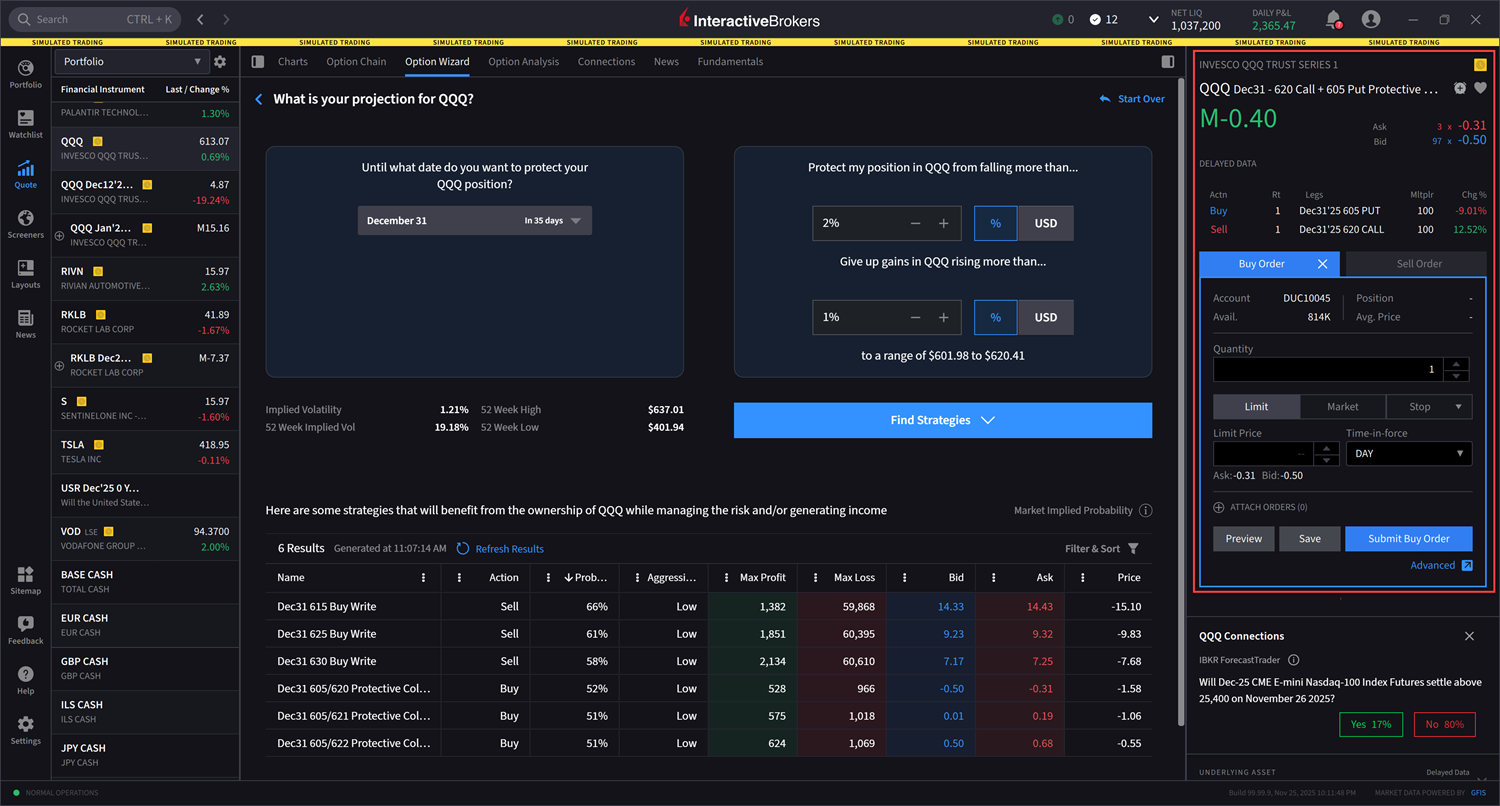
Once you select the strategy, the order ticket on the right-hand side will pre-fill with the desired order. Enter the additional order parameters and click Submit Buy Order to transmit.
-
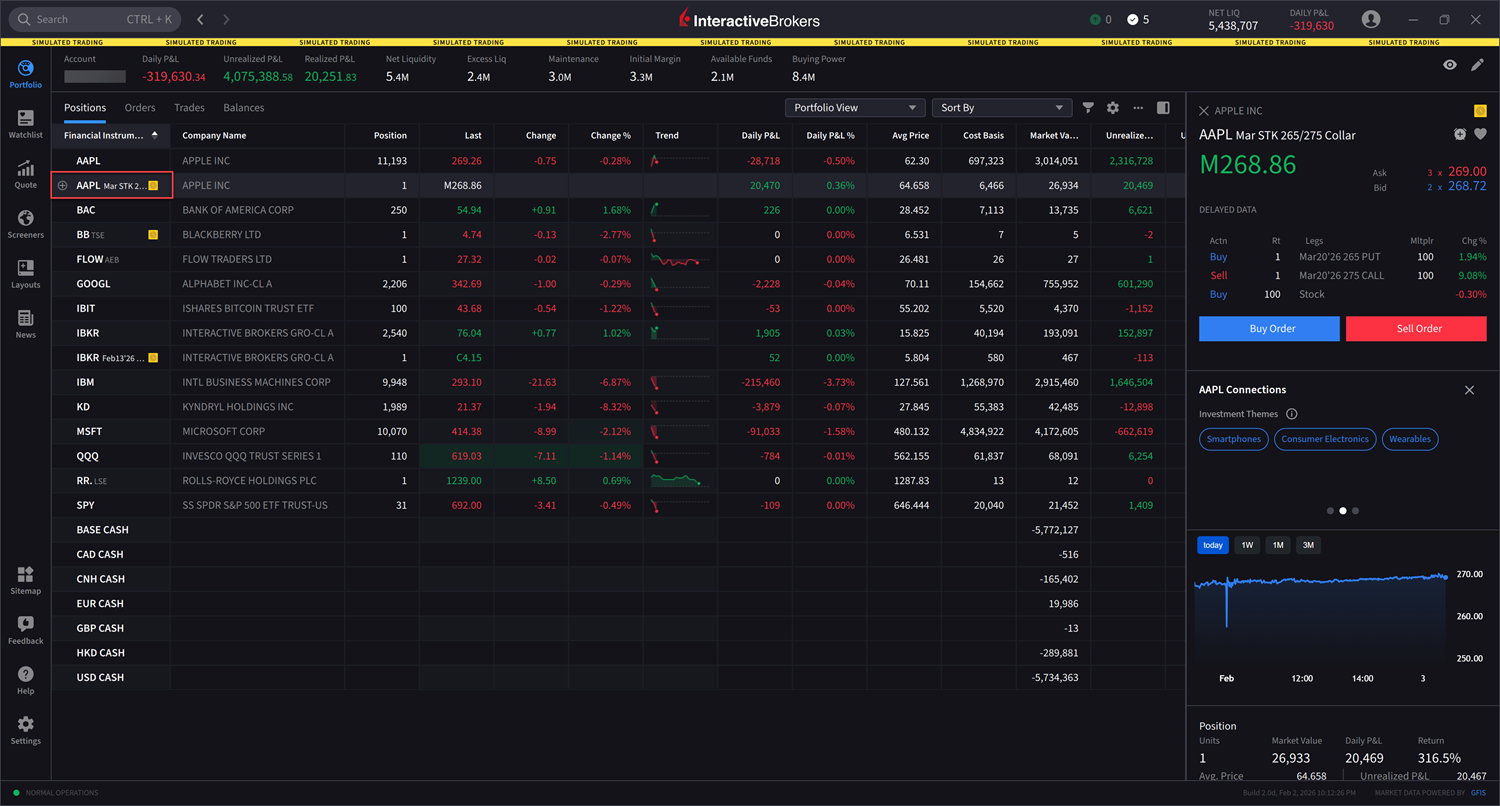
Navigate to your Portfolio to view this position.
-
Click on the collar position to expand and view legs.