Rollover Option
Instructions
You may roll an option position to another strike or different expiration date. To do so, please take the steps outlined below.
-
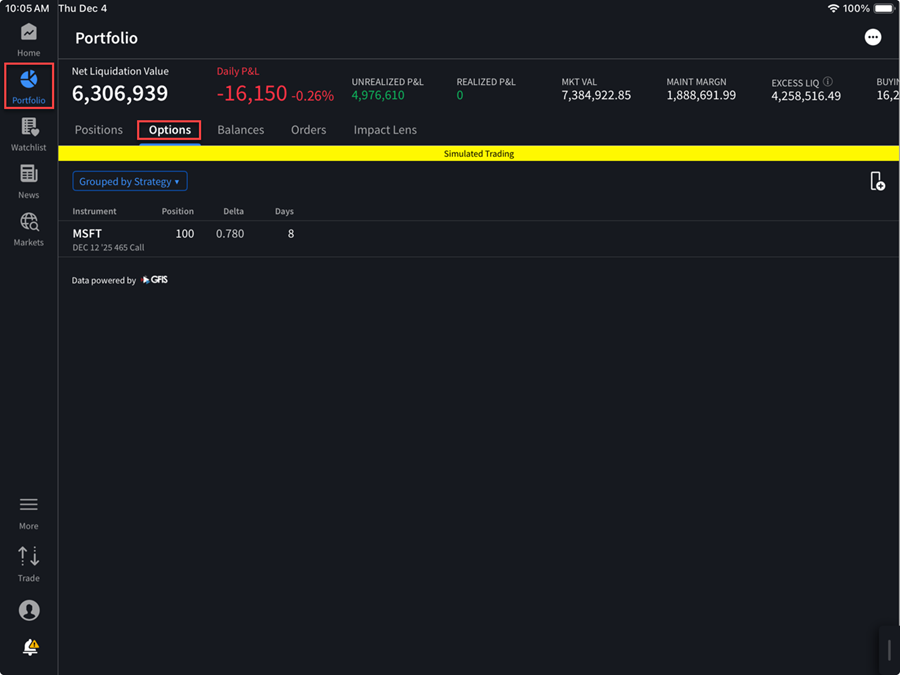
Navigate to your Portfolio.
-
Click the options tab to display any open option positions.
-
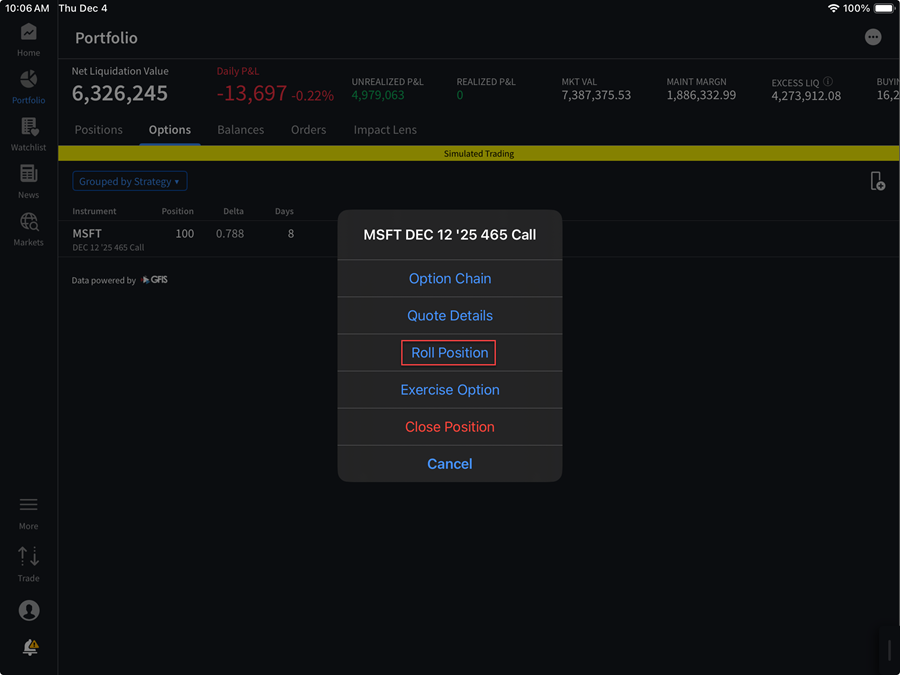
Click the option leg that you would like to rollover and select Roll Position.
-
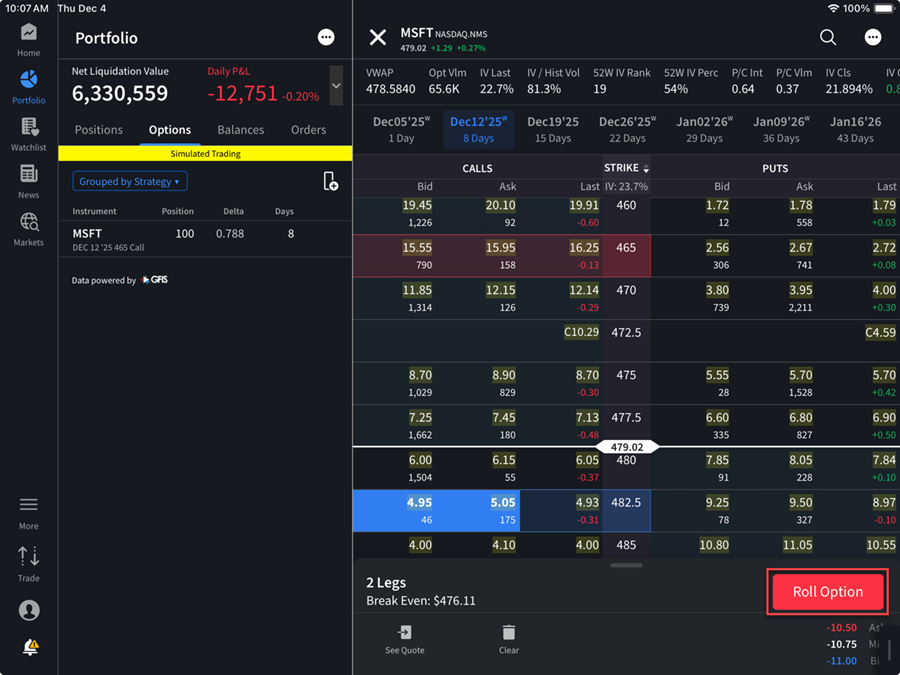
Select the new option from the Option Chain screen.
-
Click the red Roll Option button in the bottom right corner.
-
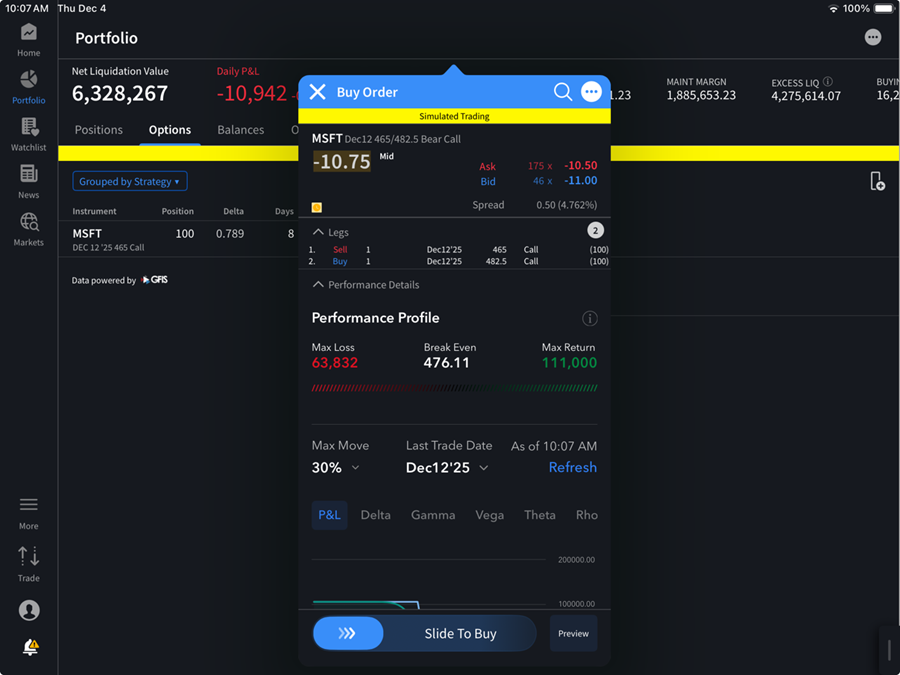
Execute the order by sliding the toggle at the bottom of the screen to buy.