Search for Contract
Instructions
You may search for an Event or Forecast Contract in both the IBKR Mobile and the ForecastTrader window. To do so, please take the steps outlined below.
ForecastTrader
-
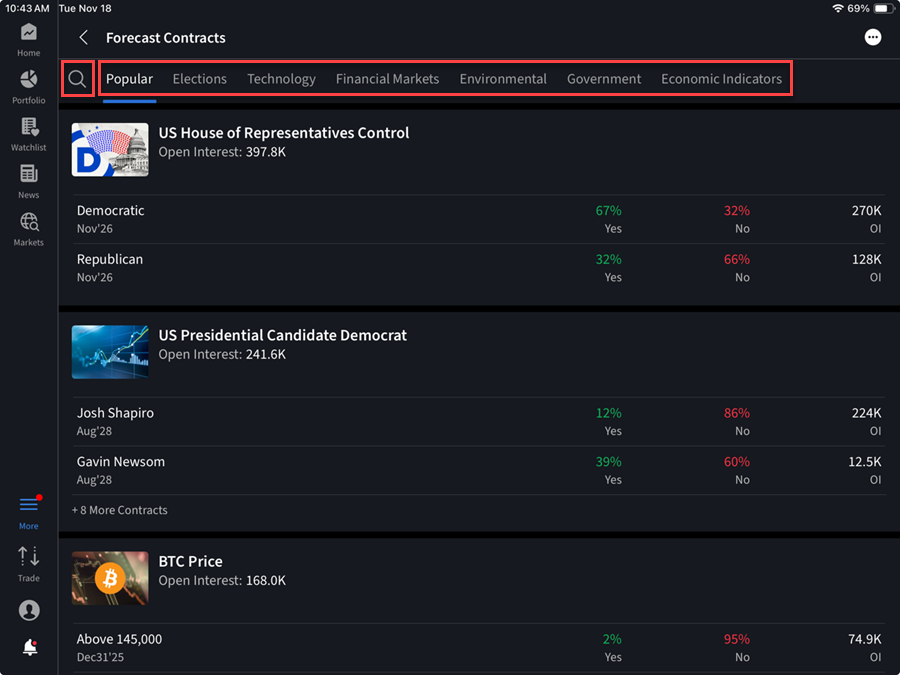
On the ForecastTrader page, click the Search tab and use the search bar to type a description of the product (e.g. "cons" for consumer price index, "fed" for fed fund rate, etc).
IBKR Mobile
-
Click the magnifying glass in the top right corner of the IBKR Mobile window and type a description of the product (e.g. "consumer price index", "fed fund rate", etc) in the search field. Click Enter.
-
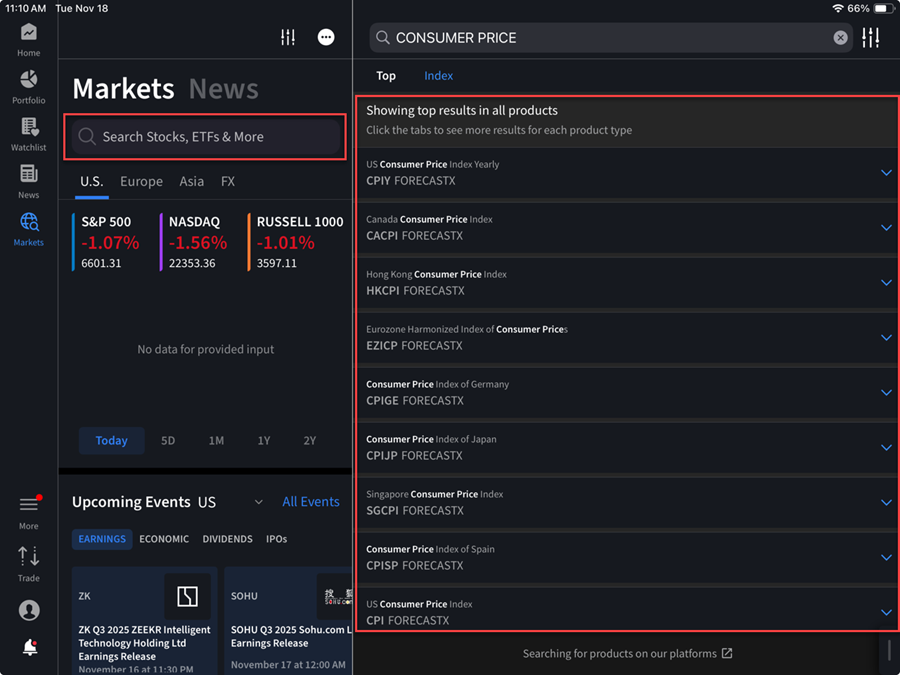
Click the Markets icon on the left-hand side of the screen.
-
Use the search box to type a description of the product (e.g. "consumer price index", "fed fund rate", etc).
-
Select the desired FORECASTX or EVENT contract.