Version 1.2 - Improved Order Entry, Simple Currency Conversion, Expanded Hotkeys, Close Specific Lots, Ask IBKR
Improved Order Entry
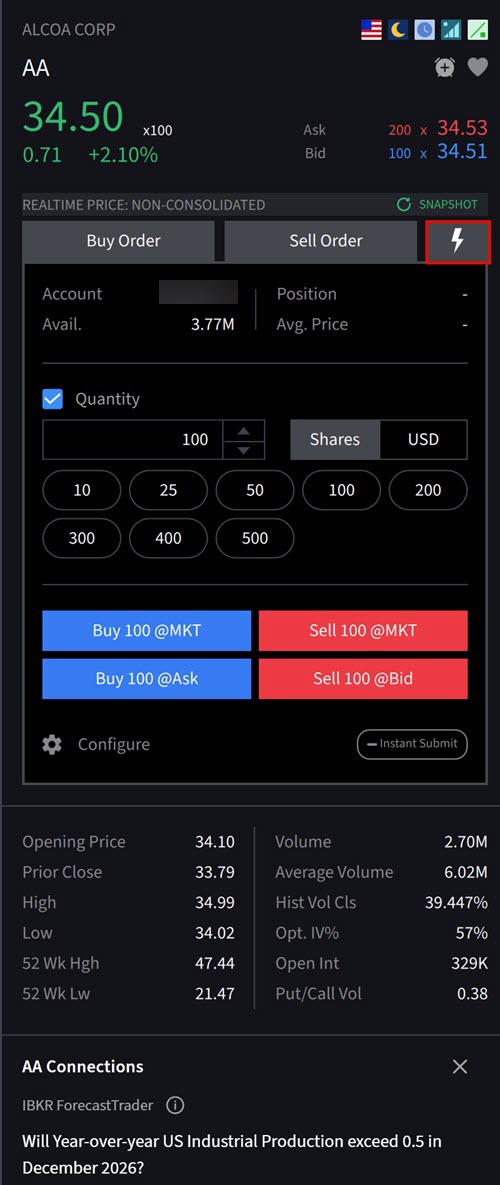
We now offer configurable "QuickTrade" buttons which allows investors to place an order using fewer clicks. Search or click an asset from your Portfolio/Watchlist and navigate to the Order Entry panel on the right-hand side. Here, you will find a Lightning Bolt icon which allows you to trade quickly and effectively.
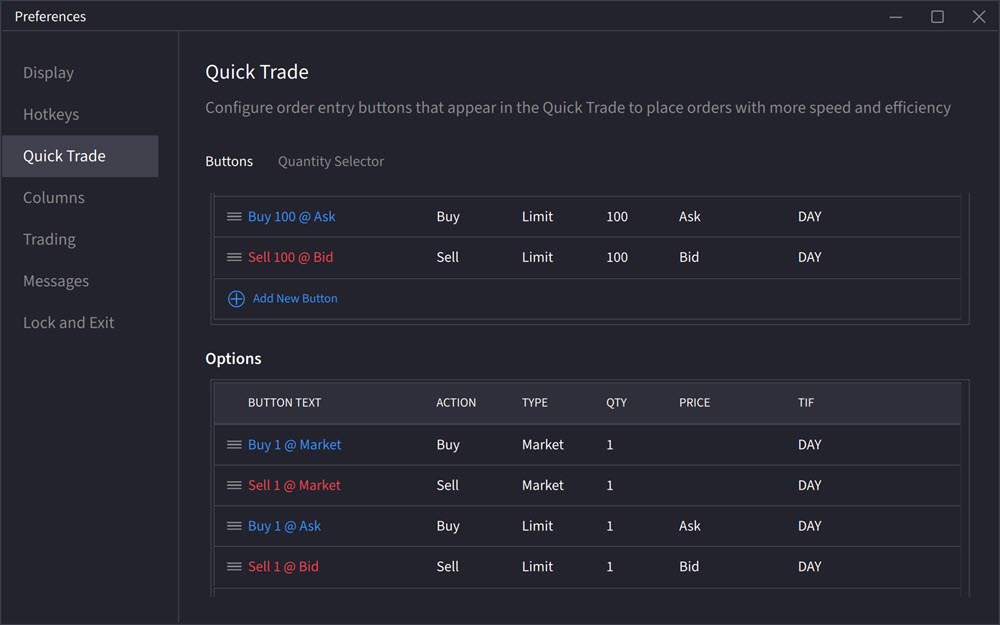
Click the Configure button to edit the quick trade options based on asset type.
Simple Currency Conversion
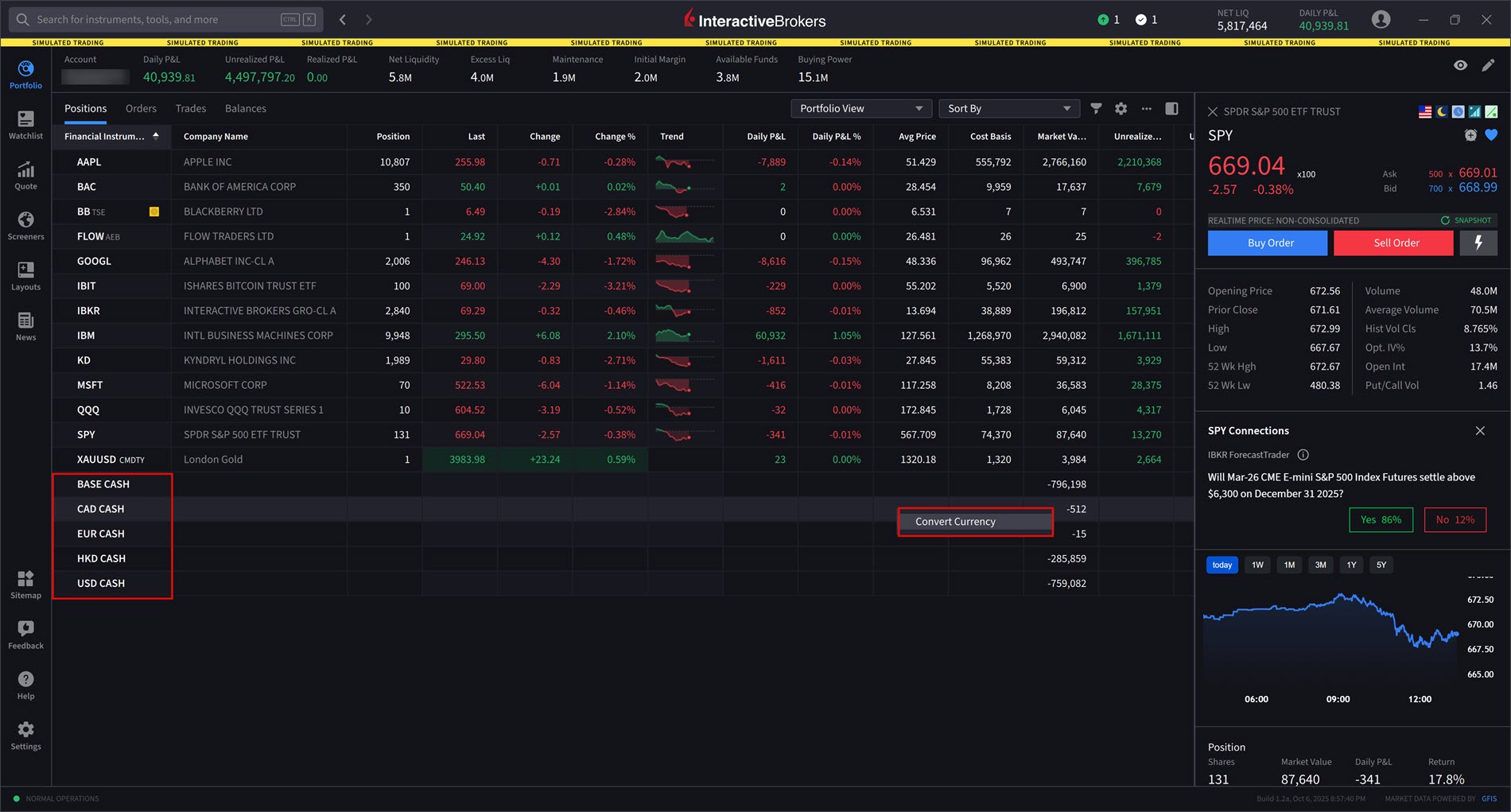
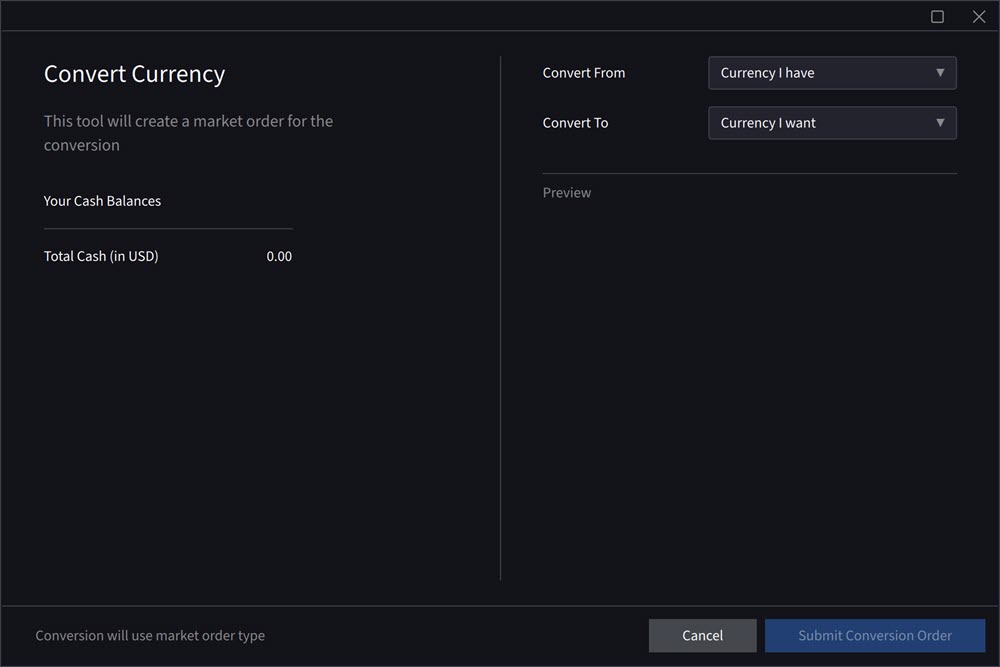
We have added a new feature which localizes P&L and allows for easy currency conversions. Navigate to your Portfolio and right-click on the non-base currency balances listed at the bottom of the screen to convert.
Please note, currency conversions will be submitted via market order.
Expanded Hotkeys
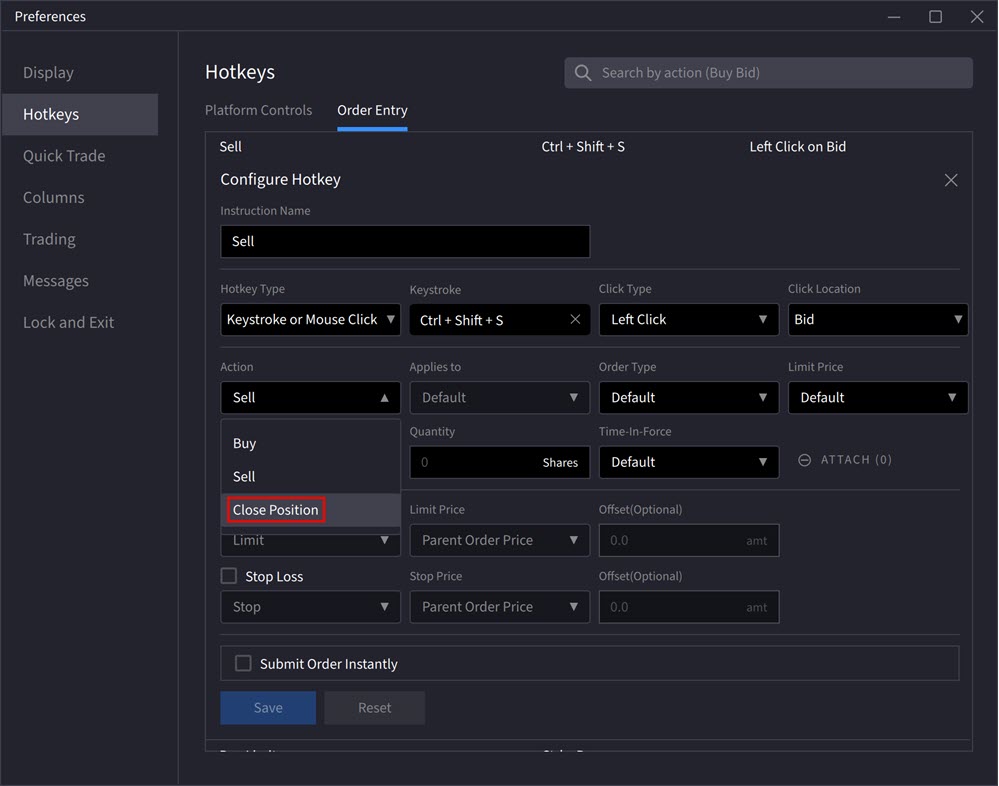
We have expanded our Hotkeys which includes a one-click submit and close position hotkey. Navigate to Settings > Hot Keys. Select the Action drop-down menu and click Close Position. Fill out any additional sections and click the check-box next to Submit Order Instantly. The Instant Transmit Disclosure will populate. Read this entirely, and then press OK to save these changes.
Please note, the instant submit button is on a per hotkey basis. In other words, this can be configured so that some hotkeys can stage the order, while others can submit the order instantly.
Close Specific Lots
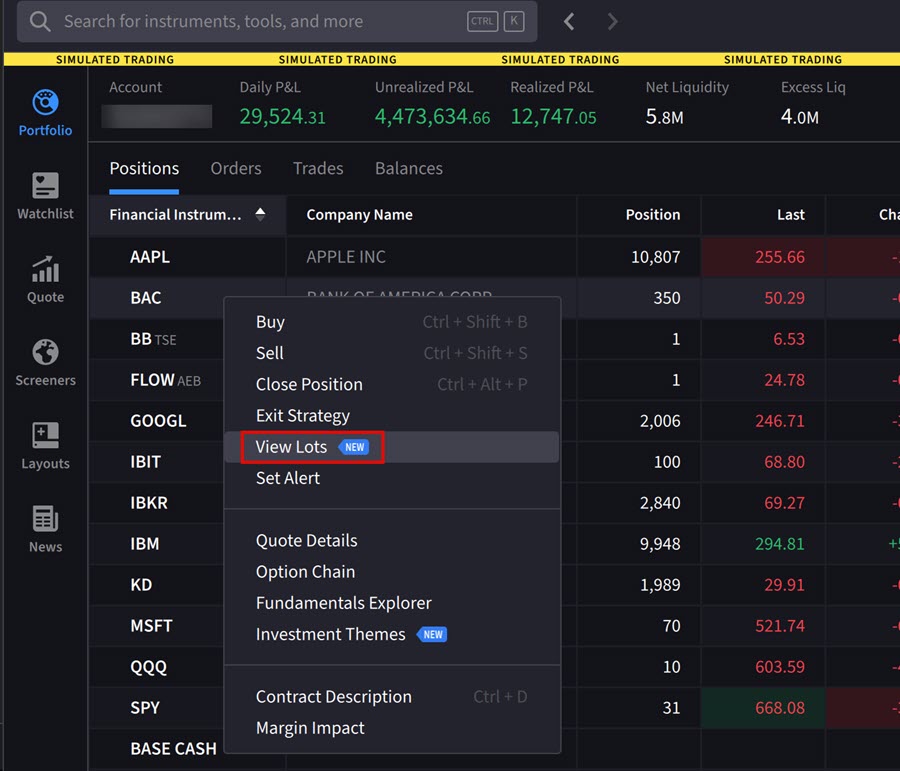
Traders can now multi-select tax lots and place closing orders directly from the View Lots window. To use this tool, right-click on a position in your portfolio and select View Lots. The Lots screen will populate. Select Close Specific Lots and select the lots that you would like to close. Select Create Order to close these orders.
Ask IBKR
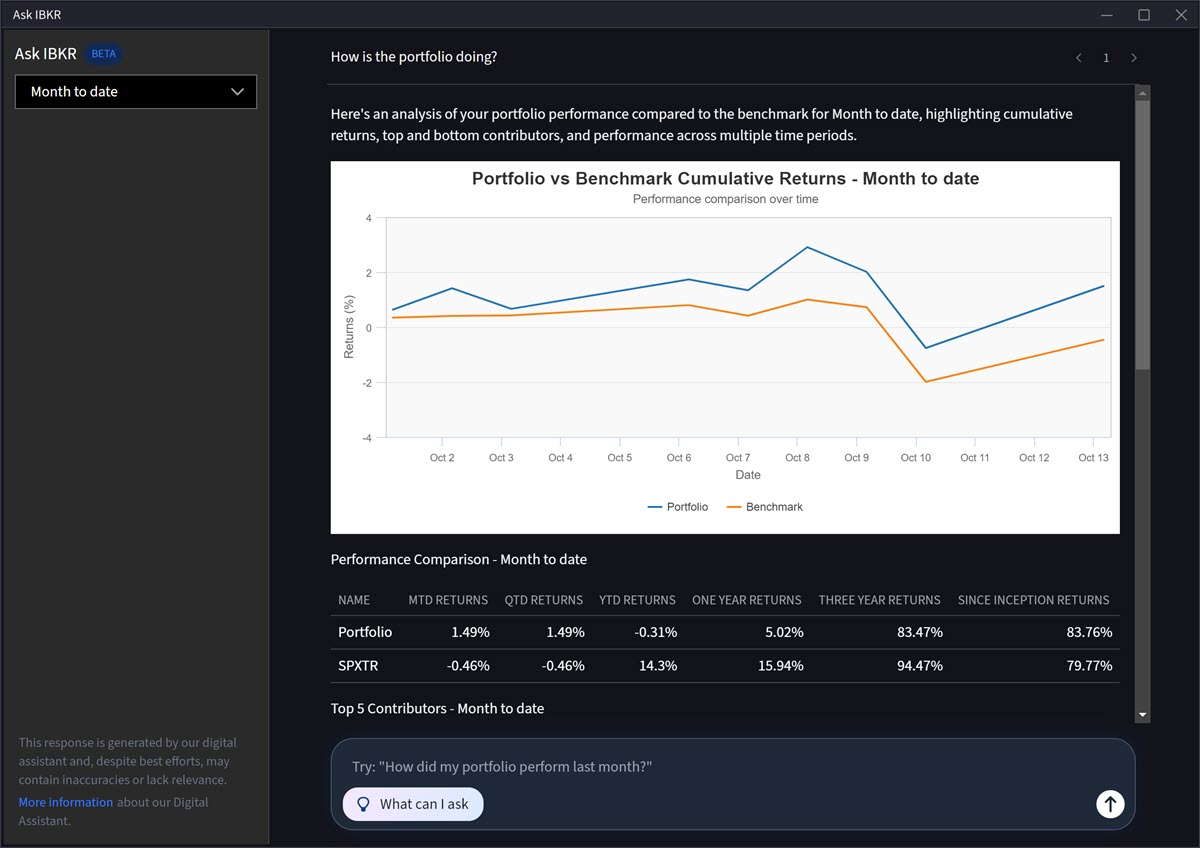
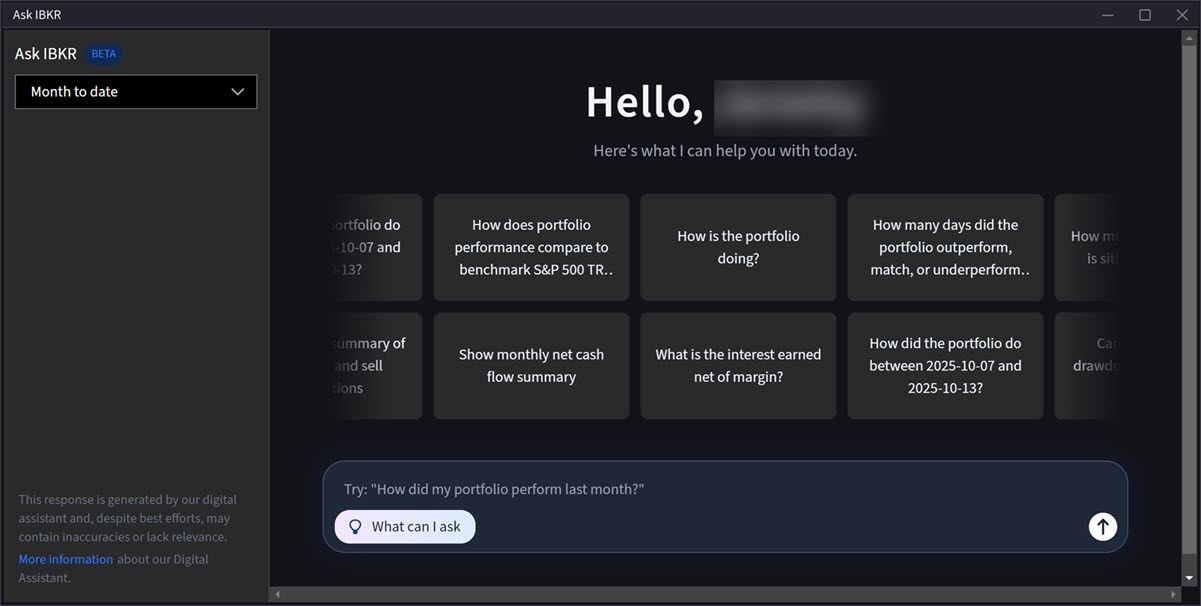
Ask IBKR is an AI-powered tool that delivers instant portfolio insights through natural language inquiries. Categories of queries include:
-
Portfolio Metrics: Compare performance against benchmarks, identify valuation changes over time, and highlight periods of outperformance or underperformance.
-
Allocation Analysis: Analyze sector exposure, compare returns across asset classes, and assess performance by instrument type.
-
Holdings Exploration: Identify top positions, review geographic allocations, and locate dividend-paying securities.
-
Activity Tracking: Review trade history, monitor interest and fees, and analyze cash inflows and outflows.
There are two ways to access this tool:
-
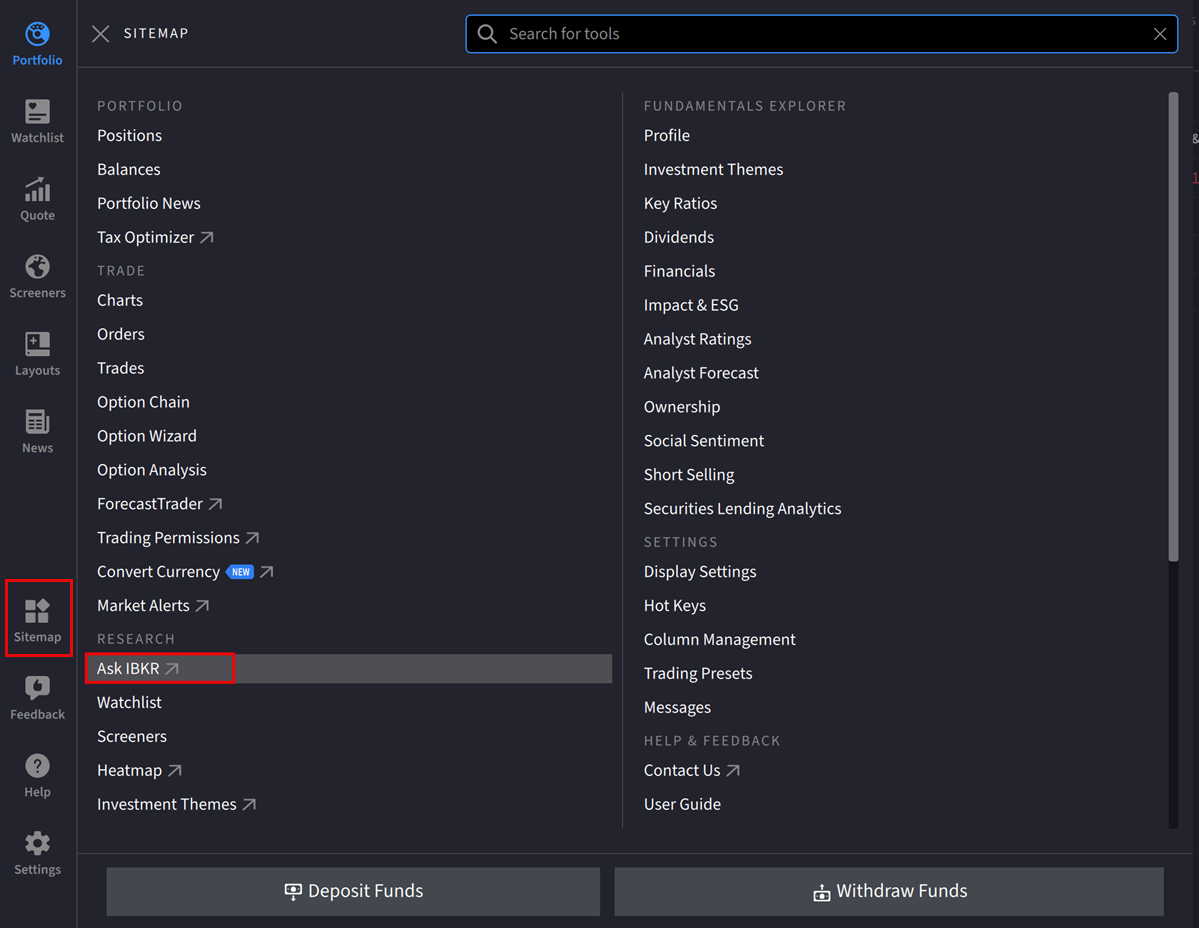
Navigate to Sitemap > Ask IBKR. The Ask IBKR tool will populate as a new window on your screen.
or
-
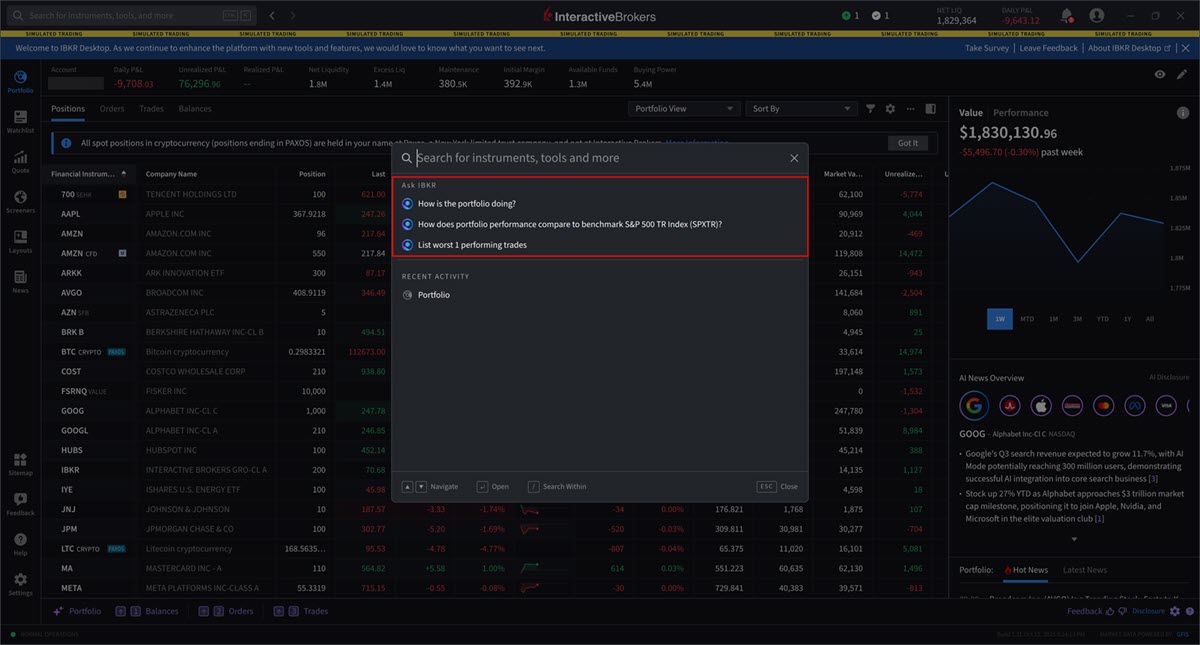
Click the Search bar in the top left corner of any screen. The Ask IBKR section will appear with a populated list of questions. Click one of these questions, or search for additional portfolio insights.