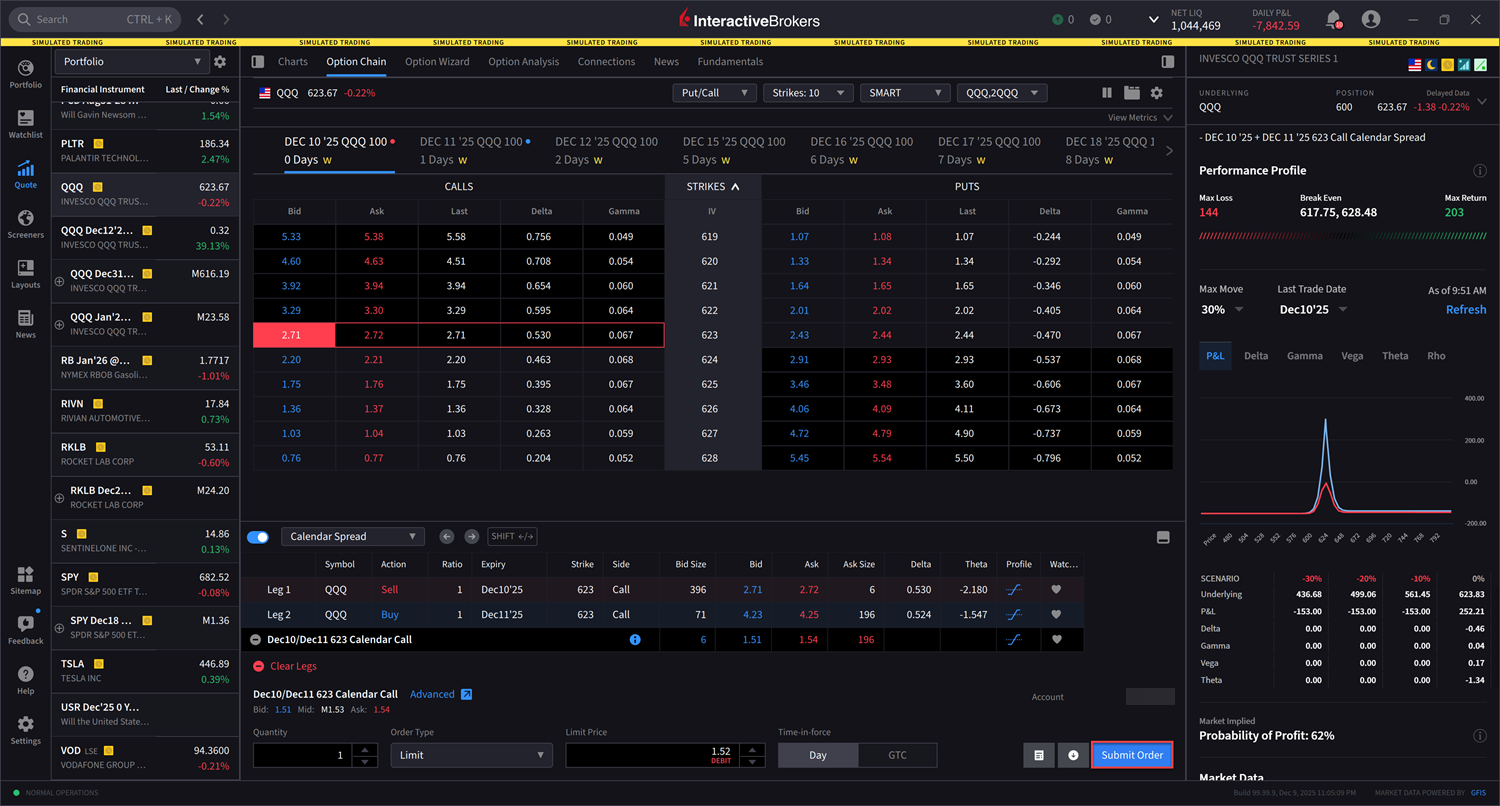
Version 1.4 - Options Strategy Selector in Strategy Builder
Options Strategy Selector in Strategy Builder
We now offer pre-defined option strategies in the Strategy Builder Drawer, allowing you to select a strategy before defining individual legs. To access this, please take the steps outlined below.
-
Navigate to Quote and select the Underlying asset from the left-hand side.
-
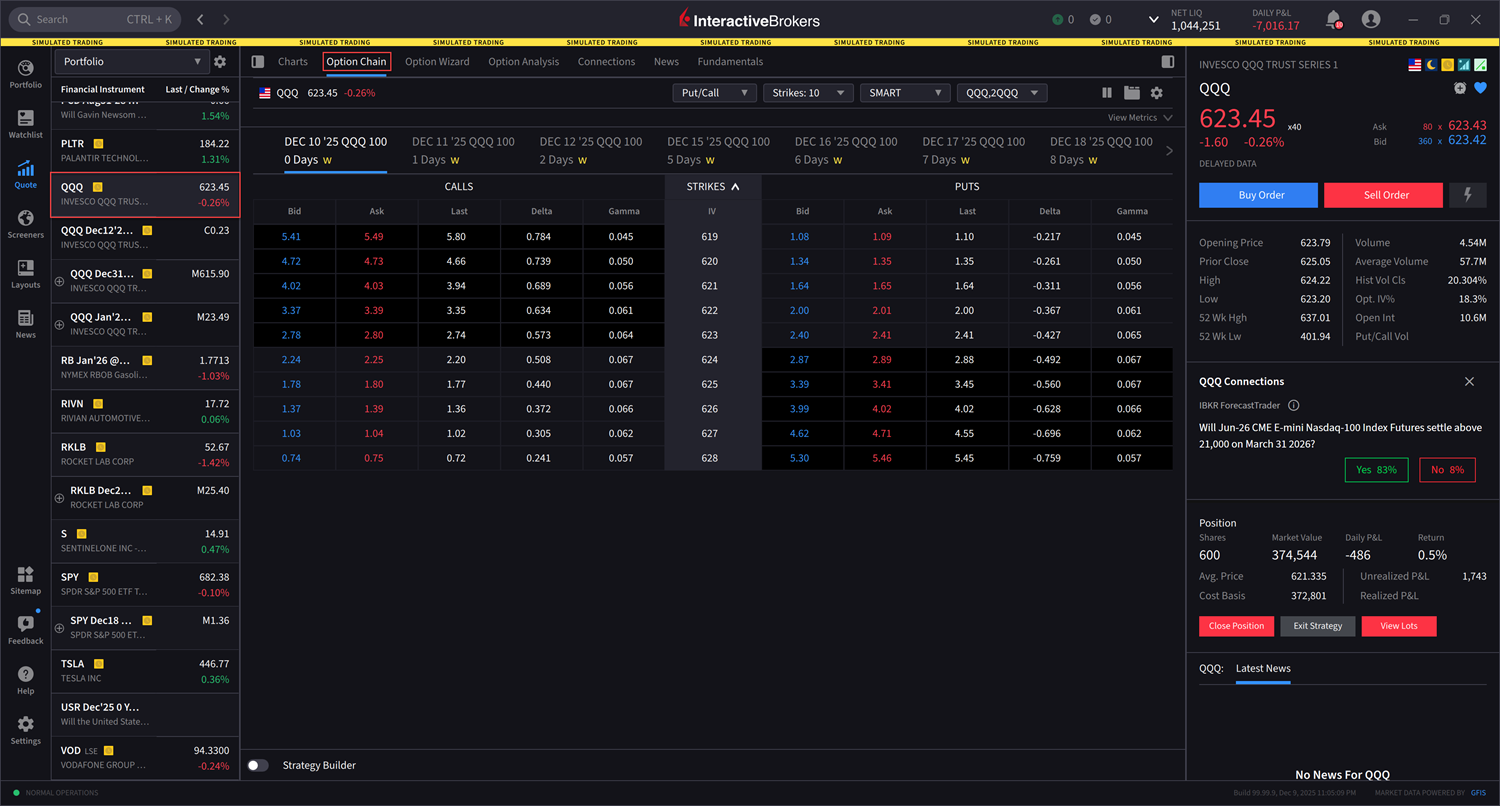
Click the Option Chain tab.
-
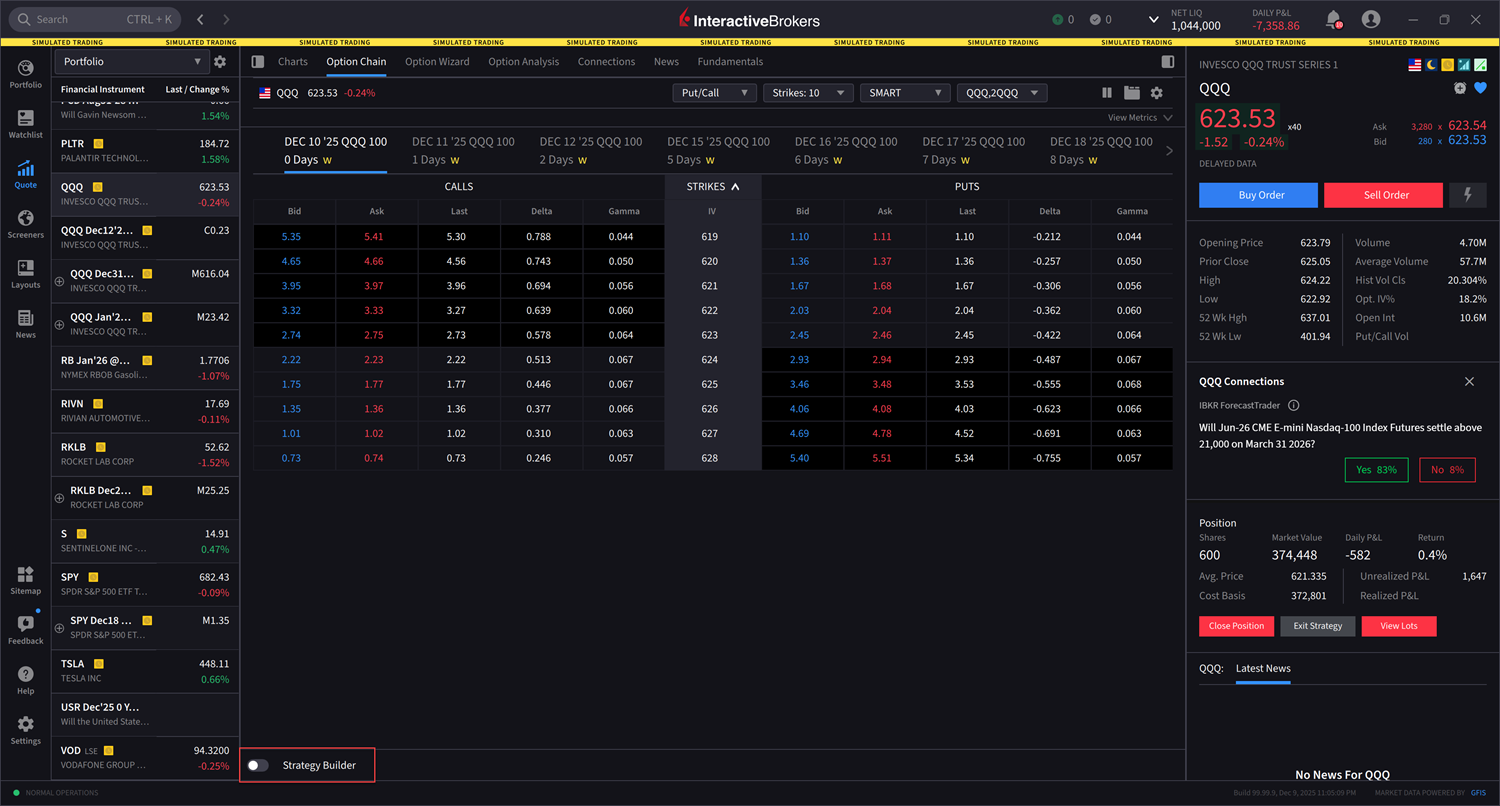
At the bottom of the page, select the toggle icon to use the Strategy Builder.
-
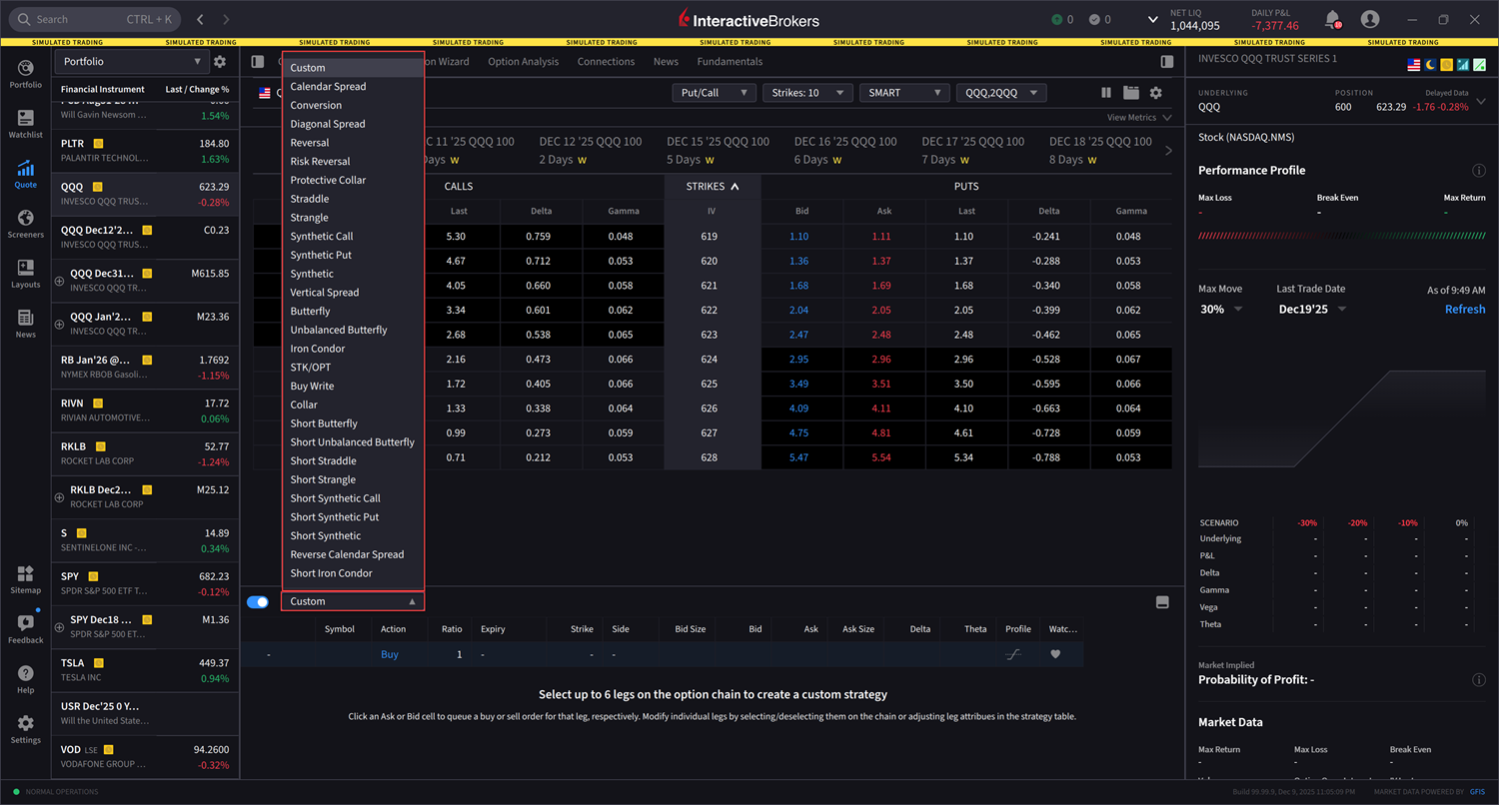
Select the Custom drop-down menu to select a strategy from the populated list.
-
In this example, we selected Calendar Spread. Next, select the desired leg from the Option Chain. The spread will update automatically in the Strategy Builder.
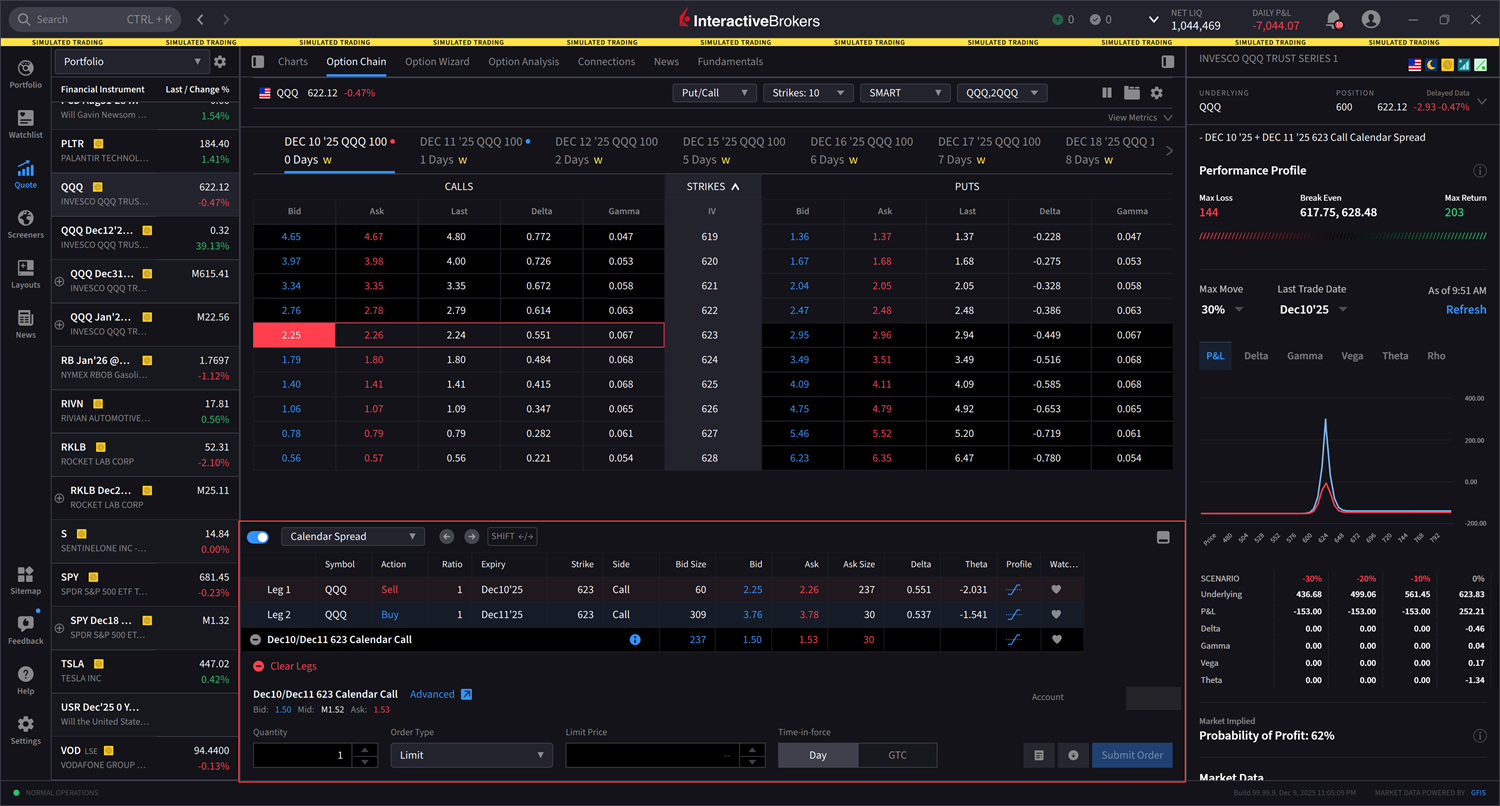
-
Alternatively, after clicking your desired strategy, you may navigate back to the strategy drop-down menu and select Auto-Place At Money. This allows your strategy to be placed approximately at-the-money relative to the current market price.
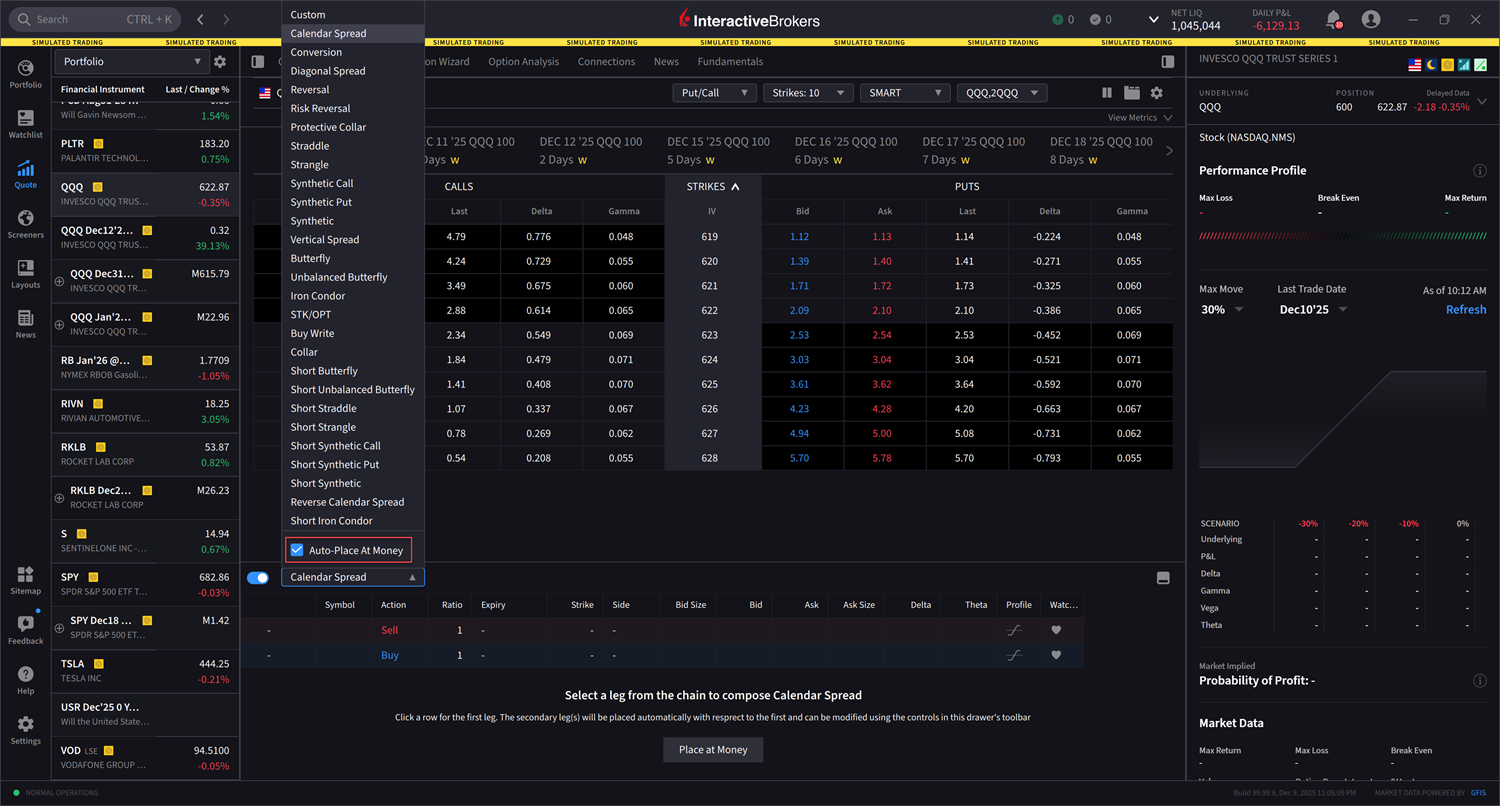
-
Enter the additional order parameters at the bottom of the strategy builder and select Submit Order to transmit.