Version 3.0 - Trade History Beyond 7 Days, Bond Screeners, Standalone Tools, Tools in Tabs
Trade History Beyond 7 Days
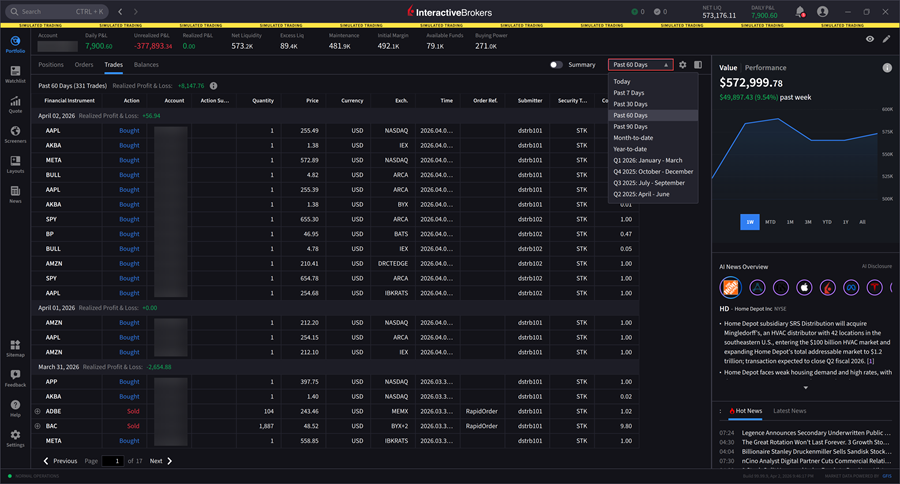
We now allow users to access and view their trade history for periods extending beyond the previous 7-day limitation. The following options are available: Today, Past 7 Days, Past 30 Days, Past 60 Days, Past 90 Days, Month-to-date, Year-to-date, Q1, Q2, Q3, or Q4.
To access this, please navigate to your Portfolio > Trades tab > Select the period drop-down menu in the top right corner.
Standalone Tools
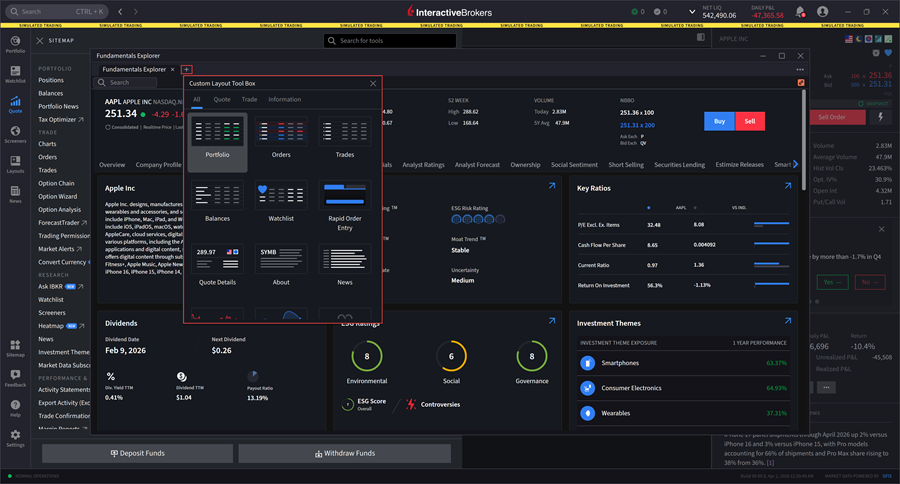
We now support Standalone Tools within IBKR Desktop, allowing users to launch and operate individual tools independently from the main platform interface. This enhancement provides greater flexibility and customization through the Sitemap tool, or through a Custom Layout. Available Standalone Tools include Fundamentals Explorer, Contract Description, Chart, Portfolio, Watchlist, Option Analysis, and News.
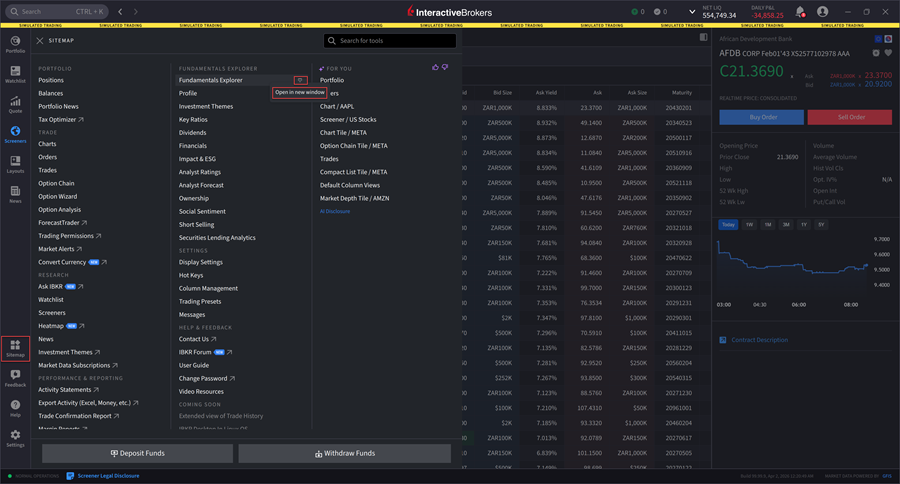
To utilize this, please navigate to Sitemap > Hover your cursor over a tool and select the Window icon.
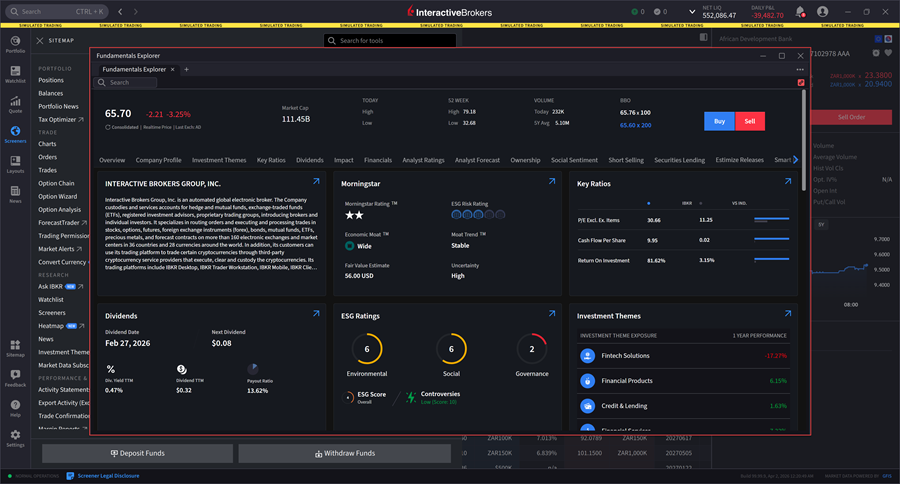
The Fundamentals Explorer tool will open in a new window.
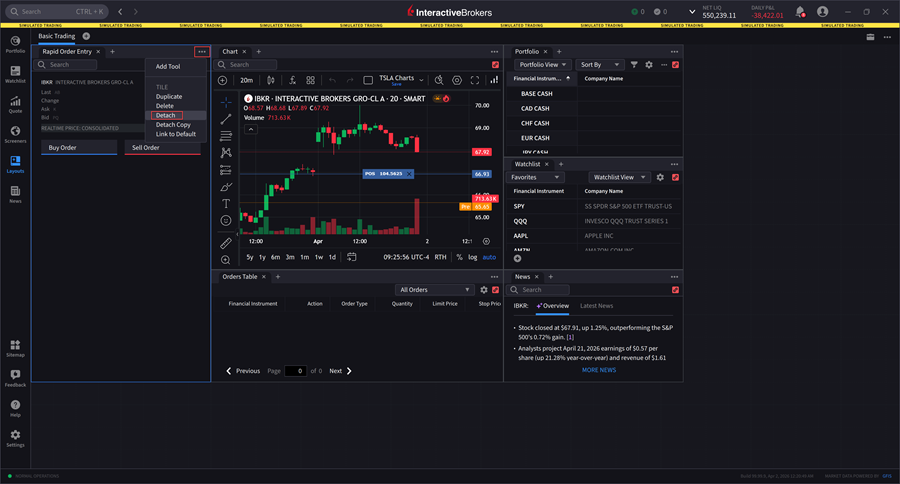
Alternatively, you may access Standalone windows in Layouts by clicking the dotted icon in the top right corner of a window and selecting Detach.
Tools as Tabs
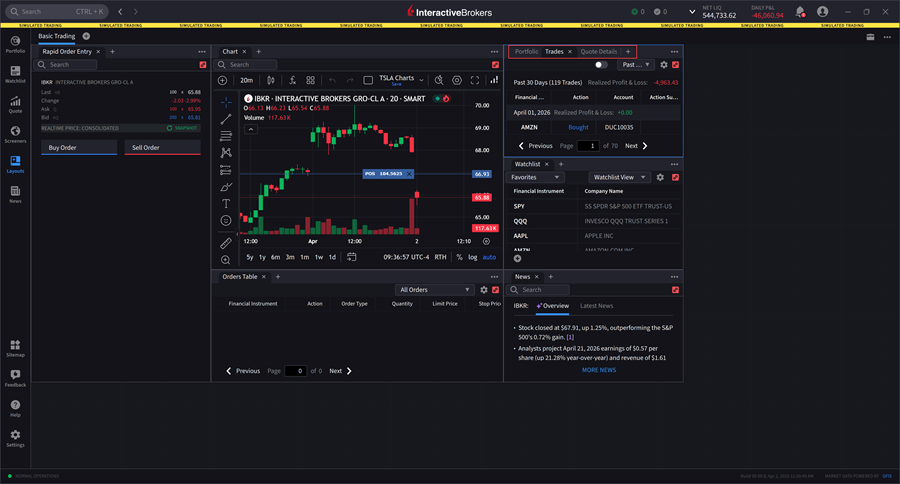
We now offer a Tools as Tabs feature, allowing users to organize multiple trading and analysis tools within a single tabbed interface.
To utilize this, please navigate to Layouts > Select the + icon in the top right corner of any window you would like to add additional tabs to.
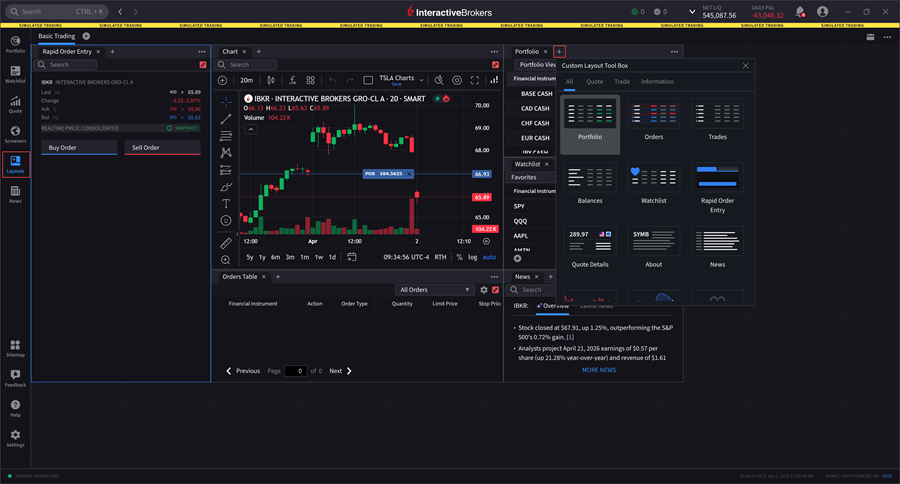
Select the tools you want to add, and they will appear as tabs at the top of the window.
Alternatively, you may access this in a Standalone windows such as Fundamentals Explorer.
Bond Screener
IBKR Desktop now includes a Bond Screener, which enables users to filter and search for bonds based on specific criteria such as maturity, yield, credit rating, issuer type, etc. This powerful addition streamlines the bond selection process, helping investors quickly identify fixed-income securities that match their investment objectives.
To access this, please navigate to the Screener menu item > Bond tab.
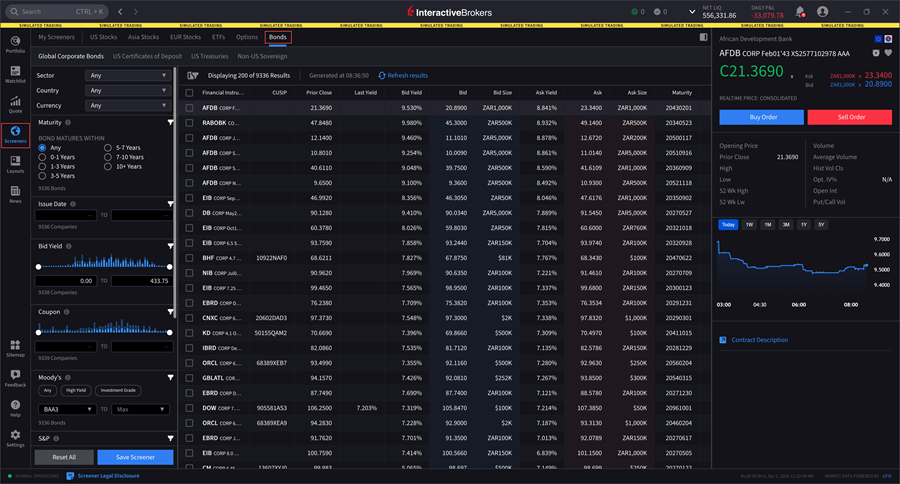
Use the Filter Parameters on the left-hand side to search for bonds based on specific criteria.