PortfolioAnalyst 2026 Release Notes
 March 2026: Models Support in the Dashboard
Advisors have the ability to create Model Portfolios which they may use to simplify and standardize investing for their clients. We have added the ability for Advisors to quickly run reports for models right from the Dashboard in addition to the Reports tab.
For more information about Model Support in the Dashboard, visit the user guide or FAQs.
February 2026: Updated Sample Reports
Updated Sample Reports
We have refreshed our sample reports page with more granular sample options and improved organization, including categories by content type (performance, activity, allocation, etc.) for more straightforward navigation, and the updated samples include our newly added report sections.
To view and download the reports, visit the PortfolioAnalyst Report Samples page.
January 2026: Tax Planner for Advisors, Improved Workflow for Linking Accounts, Improved Feedback & Suggestions Modal
Improved Feedback & Suggestions Modal
We have improved the user experience when submitting feedback or enhancement requests for PortfolioAnalyst.
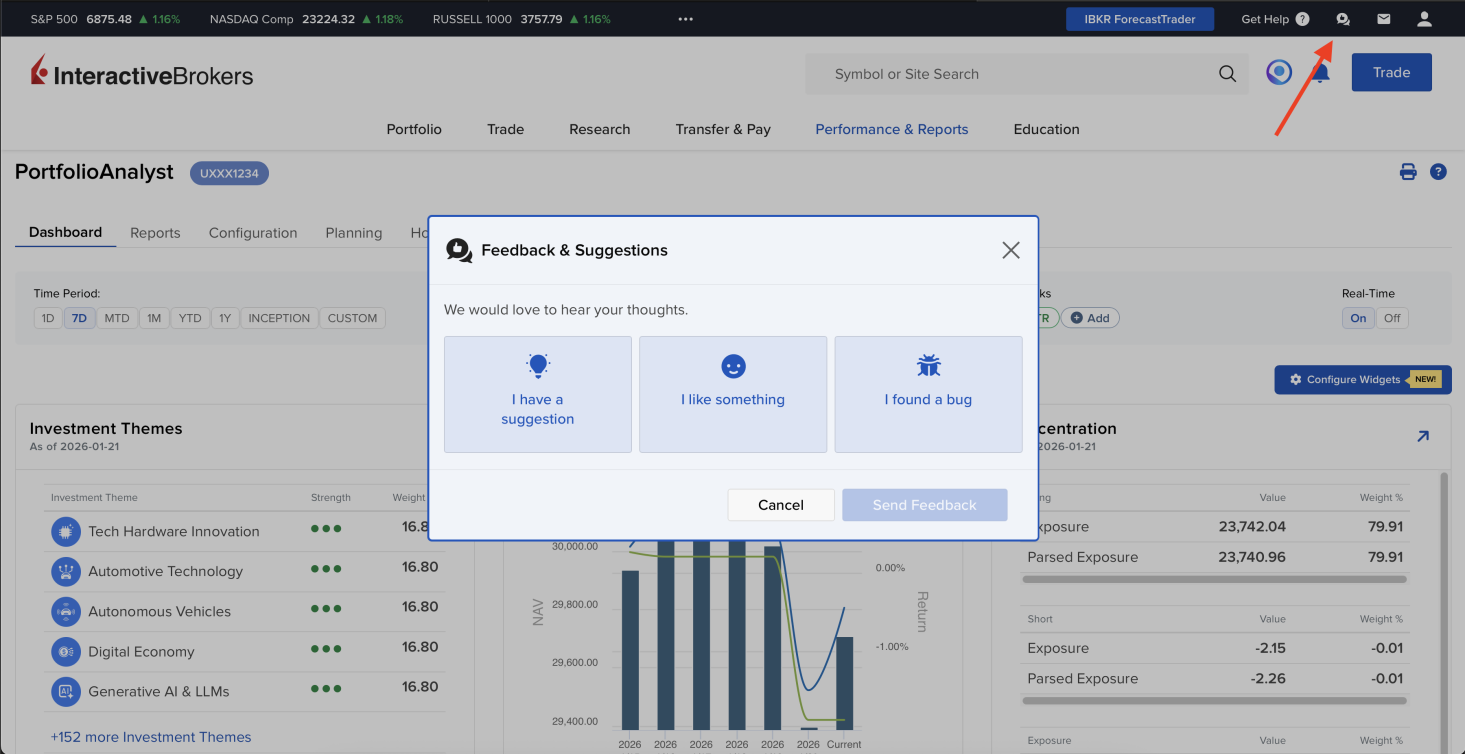
Within any PortfolioAnalyst screen, you may click the Thumbs Up icon located at the top right of the page. Doing so will launch the Feedback & Suggestions modal.
Follow the prompt in the modal to submit your feedback or request a new feature. You may also view and vote on existing feature requests that you would like to see added.
Tax Planner
Tax Planner is now available for Advisors to help you estimate taxes for your client account activities. This tool allows you to choose the desired investment accounts to include, and utilizes taxable income sources outside of their investment accounts. You may customize the various tax rates used to determine a client's tax estimate, and view their total estimated tax and combined income sources subject to taxation.
For more information about Tax Planner for Advisors, visit the user guide and FAQs.
Improved Workflow for Linking Accounts
We have introduced an improved workflow to streamline linking accounts at other institutions. The entire process, from start to finish, all occurs in the new widget.
Visit the user guide to view the new workflow.