Build 10.30: Bond Accrued Interest, CME External Operator Configuration, Outside RTH and Algo Presets - Streamlined, Option Liquidity Tool, Option Exercise Column, Round Allocation Quantity to Exchange Board Lot
Bond Accrued Interest
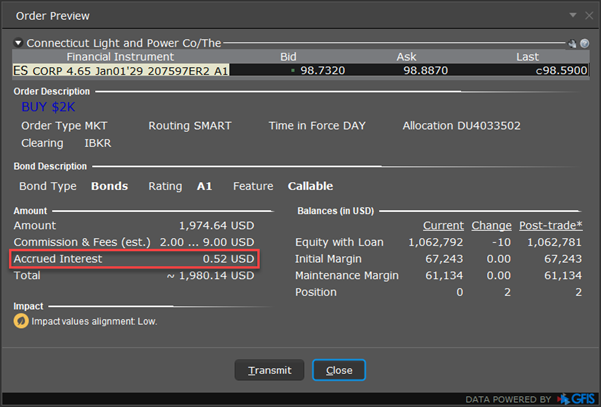
Prior to placing a trade, Bond Traders may now view accrued interest on the Order Preview window. You may view this information:
-
From Classic TWS: Add the bond into a watchlist and right-click to buy or sell. When the Order Line appears, right-click on this line and select Check Margin Impact.
-
From Mosaic: Enter the Order Parameters for the trade in the Order Ticket and click the Advanced button followed by Check Margin. At the bottom of the pop-up, Accrued Interest will be displayed.
CME External Operator Configuration
The CCP needs FIX tags to support tagging operator locations for quote requests and order cancel requests sent to the CME. We have added these tags which are listed below.
-
placeOrder (externalUserID and manualOrderIndicator)
-
cancelOrder (extOperator, externalUserID and manualOrderIndicator)
As well as 3 new fields:
-
t8089 (extOperator)
-
t6722 (externalUserID)
-
t1028 (manualOrderIndicator)
in 35=R (QuoteRequest) and 35=F (OrderCancelRequest)
Outside RTH and Algo Presets - Streamlined
Algo Orders placed with the 'Fill outside RTH' preset enabled were previously being rejected due to the preset. Now, you may submit these Algo orders and our system will ignore the 'Fill Outside RTH' preset. Issue has been fixed.
Option Liquidity Tool
The Option Liquidity Tool offers the opportunity for clients to interact with IBKR SmartRoutedTM order flow and have their orders filled in between the National Best Bid/Offer (NBBO). The IBUSOPT destination helps traders execute options trades more efficiently and effectively and helps achieve better executions by providing traders with more control over their trades by supporting different order types. To access this tool:
From Classic TWS: From the Trading Tools menu select Option Liquidity Tool.
From Mosaic: Use the New Window drop down and from the Option Tools section select Advanced Option Tools and then select Option Liquidity Tool.
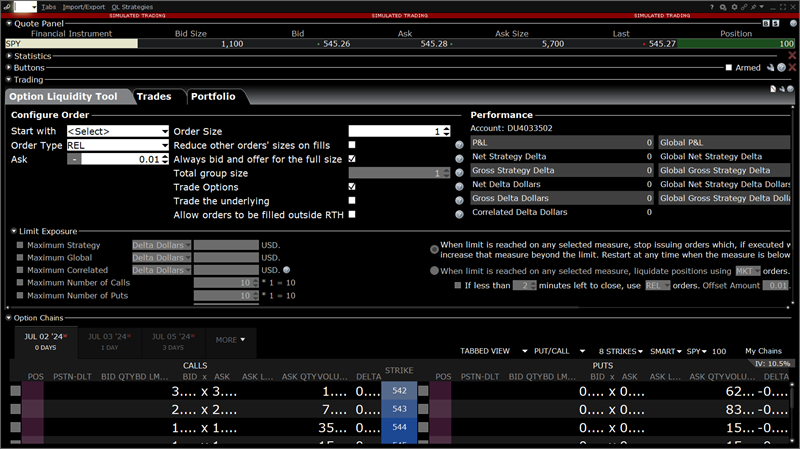
View detailed step-by-step instructions in our Option Liquidity User Guide Page.
Watch a short video on the Option Liquidity Tool.
Option Exercise Column
We have added an Option Exercise market data column which gives investors the ability to view the current In the Money value for an options contract.
To add the Option Exercise columns to the Quote Monitor or other window, hold your mouse over an existing Market Data column heading and click the green "+ Insert Column" button to insert column. From the displayed list select "In the Money".
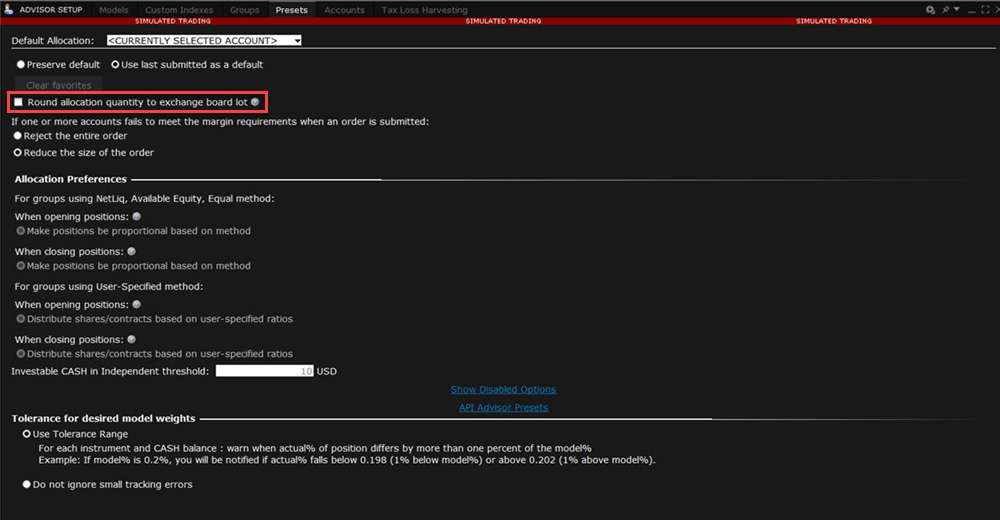
Round Allocation Quantity to Exchange Board Lot
We have added an Advisor Setup Preset that rounds individual allocations to the exchange's board lot quantity. A board lot is a number of shares prescribed by a stock exchange as a trading unit. Various non-US exchanges may use variable board lots that are dependent on the price of the stock.