Assets Under Management
Instructions
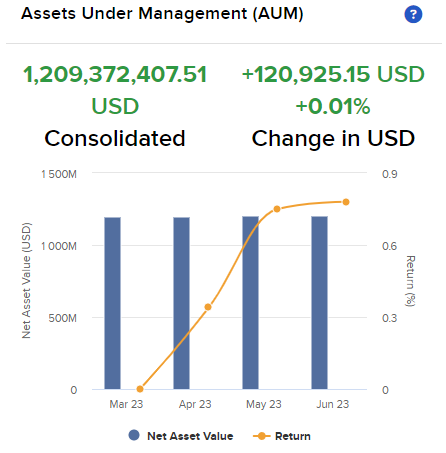
The Assets Under Management (AUM) section shows you, at a glance, the following information:
-
The consolidated Net Asset Value (NAV) of your AUM (seen in the bar graph).
-
The Year-To-Date (YTD) return of your AUM (seen in the line graph).
To see AUM, click Dashboard in the top left corner and select Assets Under Management (AUM) on the right hand side.