Place Orders in Portal
Instructions
Quickly place an order within Portal by
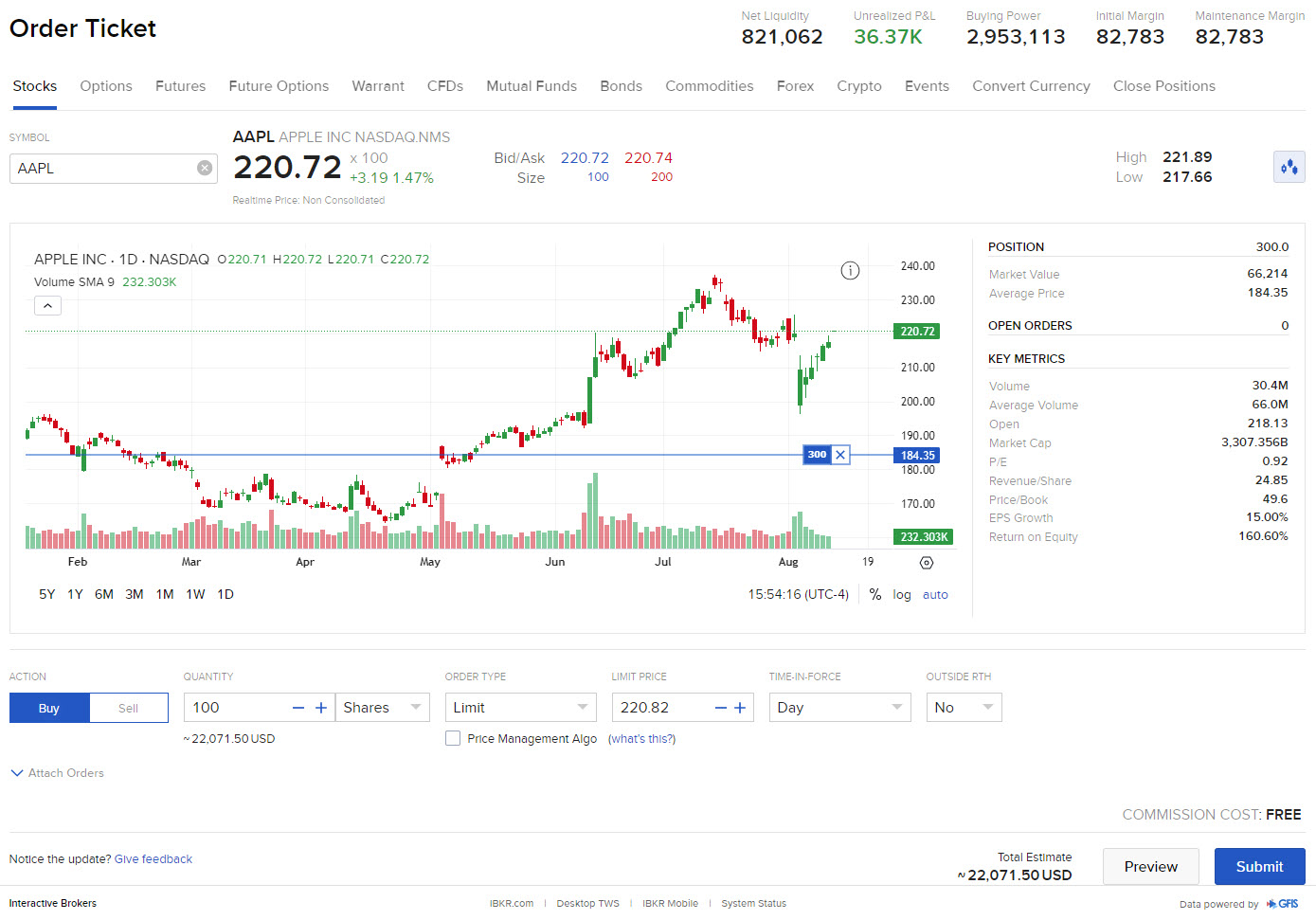
- Click the Trade tab followed by Order Ticket
The order entry panel appears with order parameters.
To create an order
-
Enter or search for a symbol (for example: Stocks, Options, Futures, etc.)
-
If you hold more than one account, select an account from the drop-down selector next to the Order Ticket page title.
-
You can change the product type by selecting a different tab (for example: Stocks, Options, Futures, etc.).
-
View a graph, product quote, and account balances on the right hand side
-
Set the side by clicking Buy Order or Sell Order.
-
Enter the order quantity
-
Choose the order type
-
Enter price as needed
-
Modify time-in-force if needed
-
Elect to either Preview or Submit the order
-
Place the order