Connections
Instructions
Explore a new way to discover opportunity. The Connections tab surfaces stocks, ETFs, futures, and other instruments closely tied to what you’re viewing. Whether you're looking for related instruments or tradeable strategies, the Connections tab brings relevant connections to the forefront—right when you need them.
To utilize this tool:
-
Tap a financial instrument from any tool (Portfolio, Watchlist, Scanner, etc) to display mini Quote Details.
-
Tap again to view the full Quote Details screen.
-
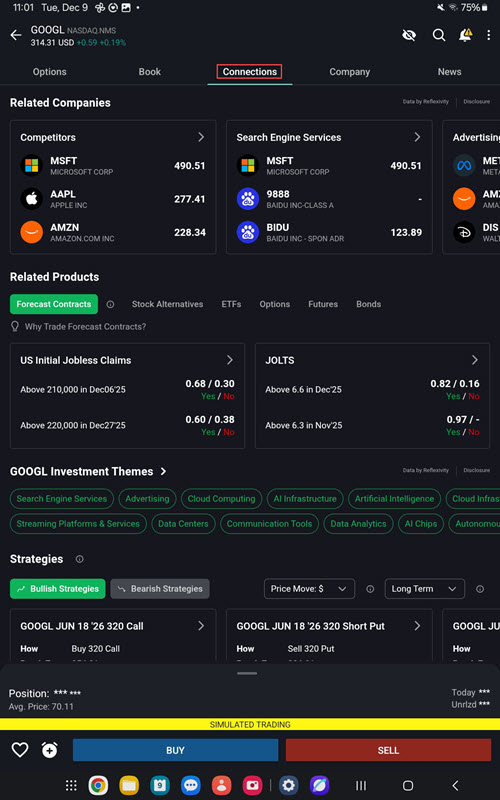
Select the Connections tab.
-
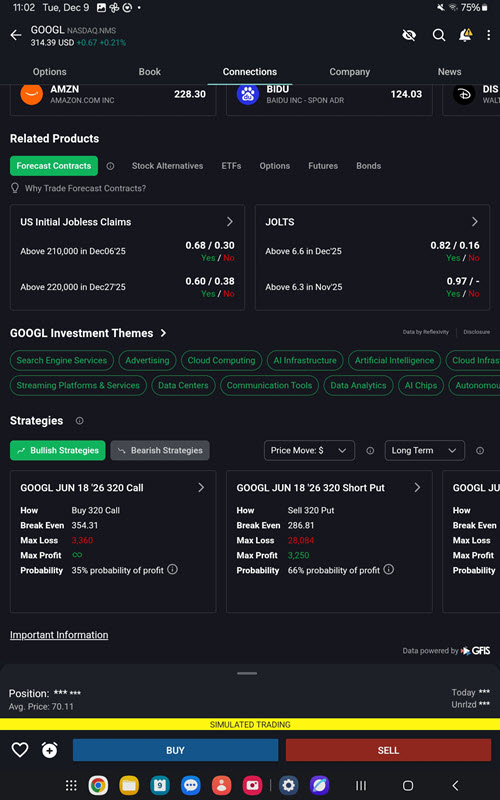
View Related Companies, Related Products, Themes, Event Contracts, and Funds.
-
Tap any of these tiles to view additional information.